Neuro SiteNeuro Showcase

The website is just the beginning.

First Neuro builds your site — in a minute. Then it runs your marketing. Here's what that looks like — for real businesses and professionals.
1 Builds your website in a minute ↓ 2 Answers your customers 24/7 ↓ 3 Grows your business on autopilot
1 The website

Your business already has a website.

Ready for Google and AI search in a minute — built from your real information, then run by Neuro for growth on autopilot.

✓

Built from your reviews

Name, city, rating, reviews and services — pulled in and live in ~60 seconds.

✓

Three hero looks

Photo, Clean and a Background variant — switch the whole vibe in one tap.

✓

Built to convert

Mobile-first, with tap-to-call, book and directions always within reach.

Tap the hero-view buttons on any card to switch the look.

3 The dashboard

One dashboard that runs your growth.

This is the whole product after the site is live: what Neuro can do, what you've taught it, how you're doing on Google, and the plan for this week.

The SiteNeuro owner dashboard home screen showing credits, the Neuro conversation meter and the three growth tabs

The owner dashboard, exactly as it opens.

Read this once

The 10-minute guide that runs this whole dashboard

Every panel below, explained — credits, Momentum, the content engine, Analytics & Strategy, and every tool underneath. A 10-minute read, about half an hour to set up once. Then it's a few minutes a week while Neuro runs your growth on autopilot.

Read the Complete Dashboard Guide →
Content engine Knowledge Base Google & AI search Momentum Autopilot Site editor Analytics What it costs
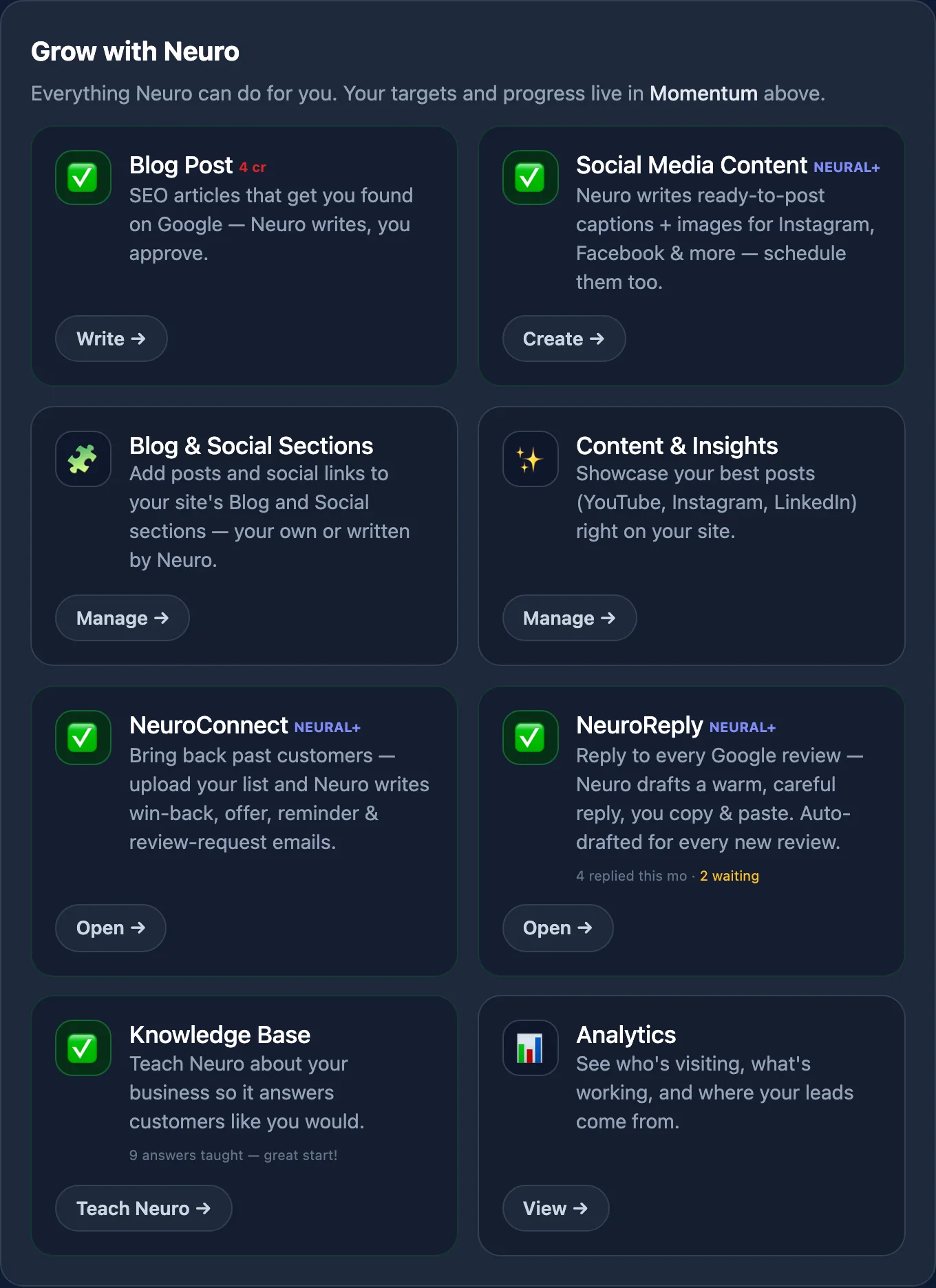
The Grow with Neuro panel listing blog posts, social content, NeuroConnect, NeuroReply and the Knowledge Base
Content engine

Neuro writes it. You approve it.

SEO articles that get you found, social captions that ship with the image already made, win-back emails to past customers, and a warm reply to every Google review — all from one menu.

Neuro writes a blog post from your topic or a detailed brief (4 credits) — or write it yourself, free.

  • Blog post · 4 credits, or free if you write it
  • Social — caption + image
  • NeuroConnect
  • NeuroReply

Social, NeuroConnect and NeuroReply are Neural and Apex. NeuroReply is for local businesses with a Google listing.

The blog page's Neuro writes it mode: a topic, an optional detailed brief, and Write my post for 4 credits

Neuro writes it — from a topic or a detailed brief

Give it a topic, or brief it like a writer: the angle, the points to cover, who it's for, the tone, the facts to include. Same 4 credits either way.

The blog page's I'll write it myself mode: a title, your post pasted from Docs or Word, and Review my post for free

Or write it yourself — free

Paste your own post from Google Docs or Word — headings, lists, bold and links carry over. No credits, no AI. Both ways end on the same review screen: add a cover, check the SEO title, then publish or schedule.

The NeuroConnect panel with a newsletter Neuro drafted waiting under Review and send

NeuroConnect — bring back past customers

Upload your customer list or use the subscribers your site collected. Neuro writes the win-back, offer, reminder and review-request emails; you approve the send. With autopilot on, this month's newsletter is already drafted and waiting for you under Review & send.

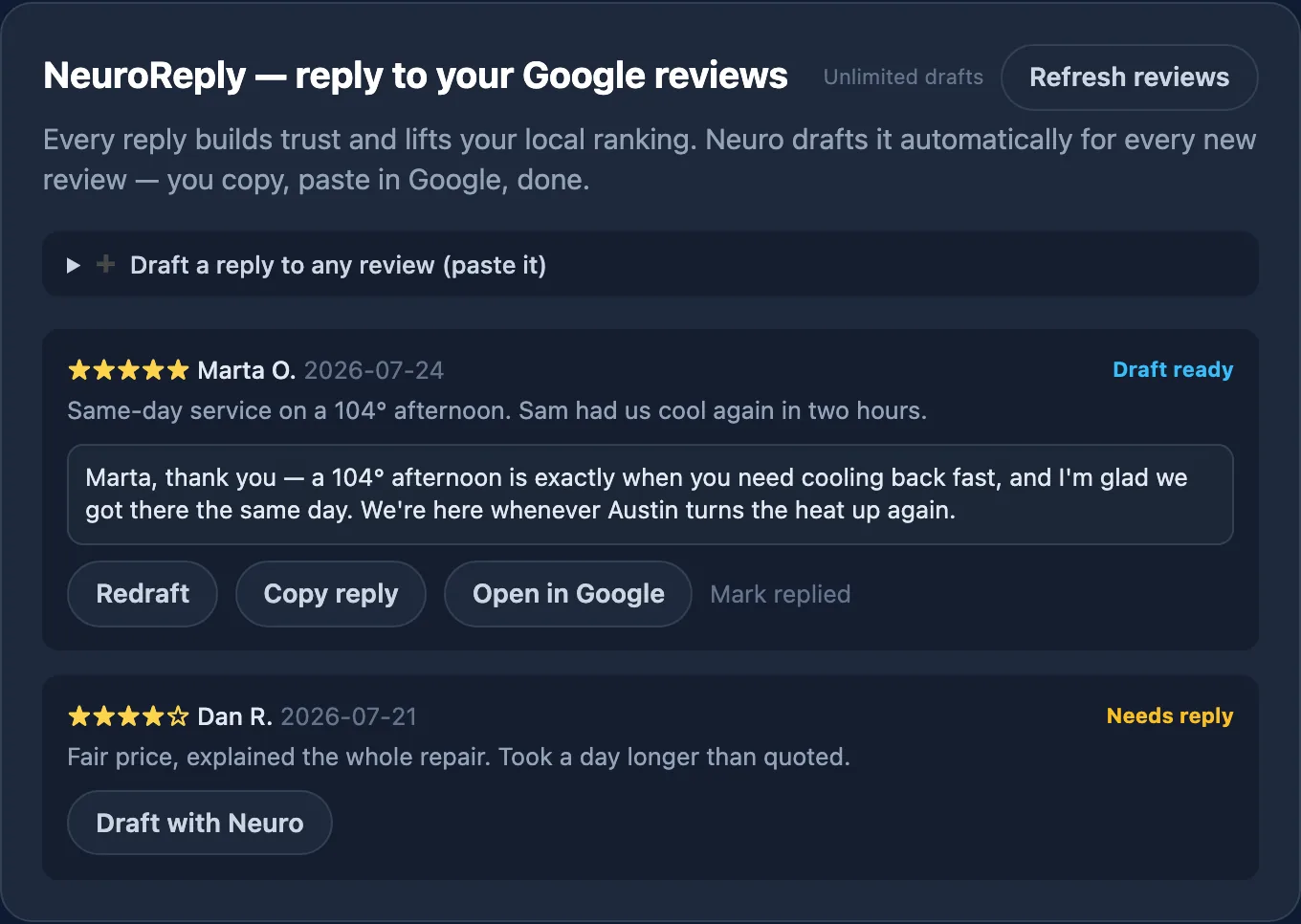
The NeuroReply panel showing a drafted reply to a five-star Google review

NeuroReply — never leave a review unanswered

Every new Google review gets a draft reply waiting for you. Read it, copy it, paste it in Google. Replying is one of the strongest local-ranking habits there is.

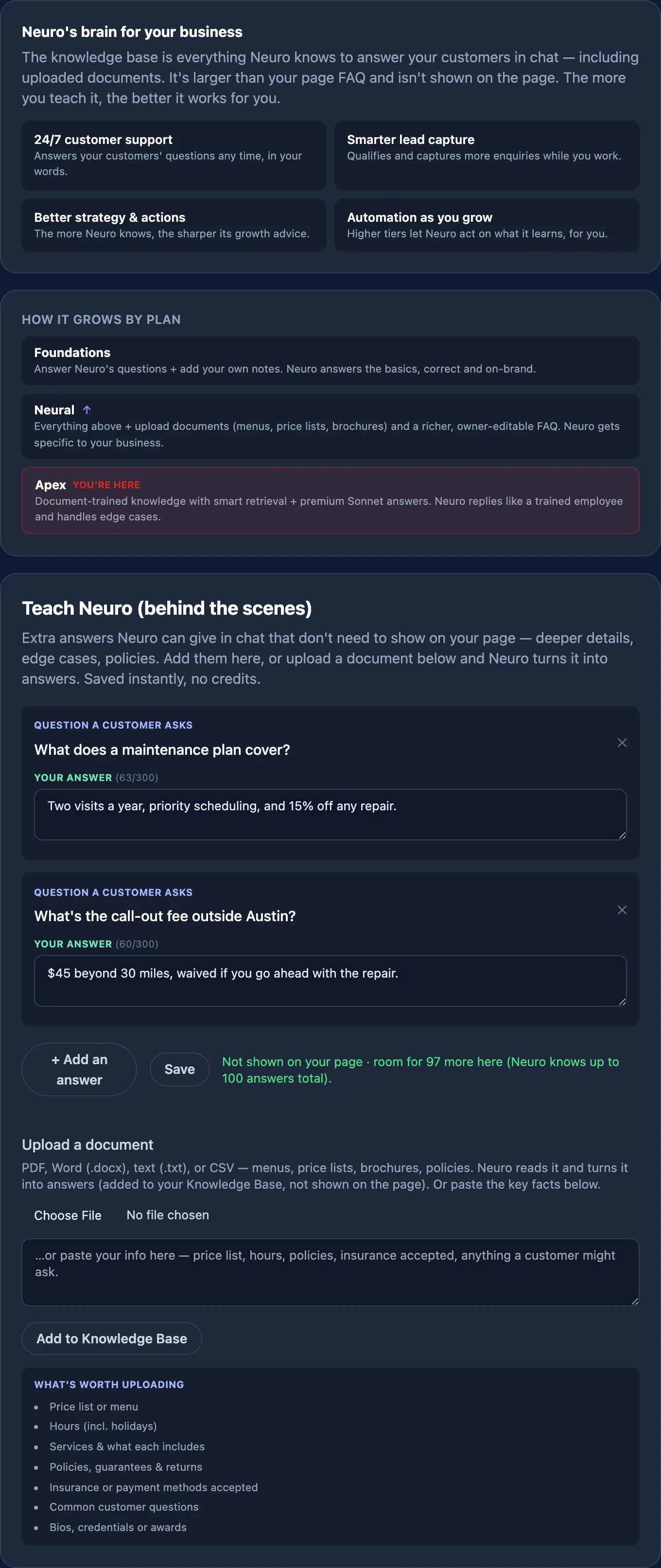
The Knowledge Base tab explaining what Neuro knows and how it grows by plan
Knowledge Base

Teach it once. It answers forever.

Upload a price list, a menu, a policy PDF — or just type the answers. Neuro turns them into replies it gives your customers, in your words, without inventing anything you didn't say.

That is what turns a chat widget into something closer to a trained employee: the more it knows, the better it answers, qualifies and advises.

  • PDF · Word · text · CSV
  • Or type it yourself
  • Not shown on your page
  • Free — no credits
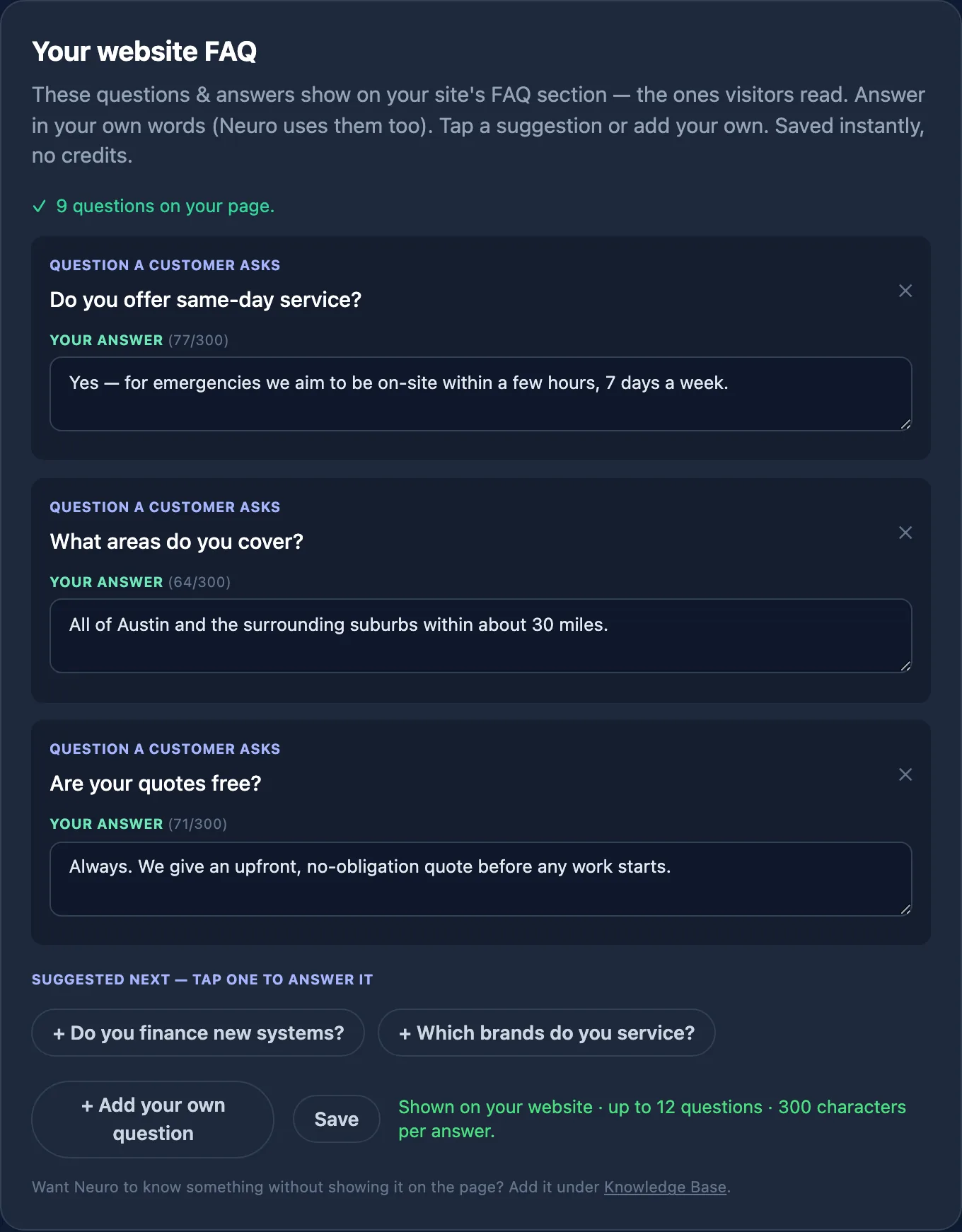
The FAQ editor, showing questions that appear on the live site

Your FAQ is the half customers see

The questions you put here show on your page and become the chips Neuro offers a visitor the moment it opens. The Knowledge Base is the bigger, private half behind it — deeper detail, edge cases, policies.

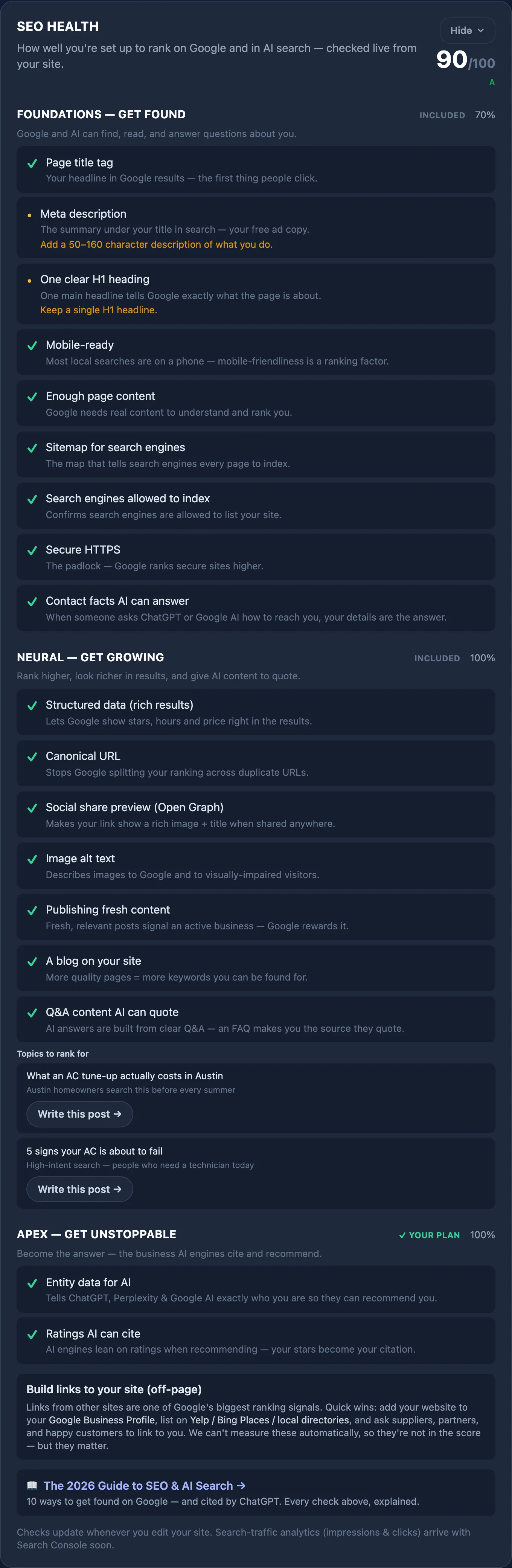
Plan Google search AI search
Foundations
Get found
Page title and meta description, one clear H1, mobile-ready, enough real content, sitemap, indexing allowed, HTTPS. Contact facts an assistant can read out when someone asks how to reach you.
Neural
Get growing
Everything above, plus structured data for rich results, canonical URL, social share preview, image alt text, a blog, and fresh posts. Neuro suggests the topics to rank for. Q&A content an AI can quote directly — the format assistants pull answers from.
Apex
Get unstoppable
Everything above, plus competitor keyword gaps and a monthly report. Entity data that tells ChatGPT, Perplexity and Google AI exactly who you are, and ratings they can cite when recommending you.

Off-page links (Google Business Profile, directories, partners) move rankings too — we can't verify those automatically, so they're guidance in your dashboard rather than part of the score.

The Momentum card's Progress tab: blog on track in green, social a little behind in amber, newsletter behind in red, and the Knowledge Base still growing
Momentum

Your marketing, on track at a glance.

Your plan comes with monthly goals already set — blog posts, social posts, a newsletter and Knowledge Base answers. Momentum shows one bar for each: what's done this month against the goal.

The colour tells you whether you're on pace — green on track, amber a little behind, red behind, always with the word beside it — and a white tick marks where you'd be today. Change any goal, or set it to 0 to switch that channel off. Every Monday an email shows where you stand.

  • Goals set for your plan
  • One bar per channel
  • On-pace colours
  • Monday progress email

Monthly goals by plan: Foundations 2 blog posts · Neural 4 blog, 12 social, 1 newsletter · Apex 8 blog, 20 social, 2 newsletters. Knowledge Base target 5 / 10 / 20 answers. Social and the newsletter are Neural and Apex.

Momentum's Adjust Goals tab: a minus and plus stepper for each channel with the recommended number under it

Adjust Goals — your numbers, or ours

Each channel has a − / + stepper with the recommended number for your plan underneath. Push harder, ease off, or set a channel to 0 — and Reset to recommended puts it all back.

Momentum's Growth Playbook tab: short sections on how Momentum works, blog posts, social media, the newsletter, the Knowledge Base and Neuro on your website

Growth Playbook — how each part works

A one-minute read per channel, inside the dashboard: how Momentum works, blog posts, social, the newsletter, the Knowledge Base, and Neuro on your website — answering visitors, capturing leads, taking booking requests.

Momentum's Automation settings: where Neuro gets its ideas, what it does per channel, and an optional focus for Neuro
Autopilot

Written from your business, not a template.

Turn on autopilot and Neuro writes your blog posts, social posts and newsletter from your Knowledge Base and your website — your services, what you want to be known for, your reviews — plus the ideas you 👍. Ideas you ✕ are never used.

Each channel stops where it should. Blog posts publish themselves, after an email that gives you 48 hours to edit or cancel. Social sets arrive with their images and you tap Post. The newsletter waits as a draft until you review and send it — nothing is emailed without you.

  • From your Knowledge Base + website
  • Blog publishes after a 48h review
  • You post social
  • You approve the newsletter
  • Set a focus

Autopilot is Neural and Apex. Blog posts use your credits and stop at your monthly limit; social comes from your plan's social allowance; the newsletter is drafted once you've added a customer list.

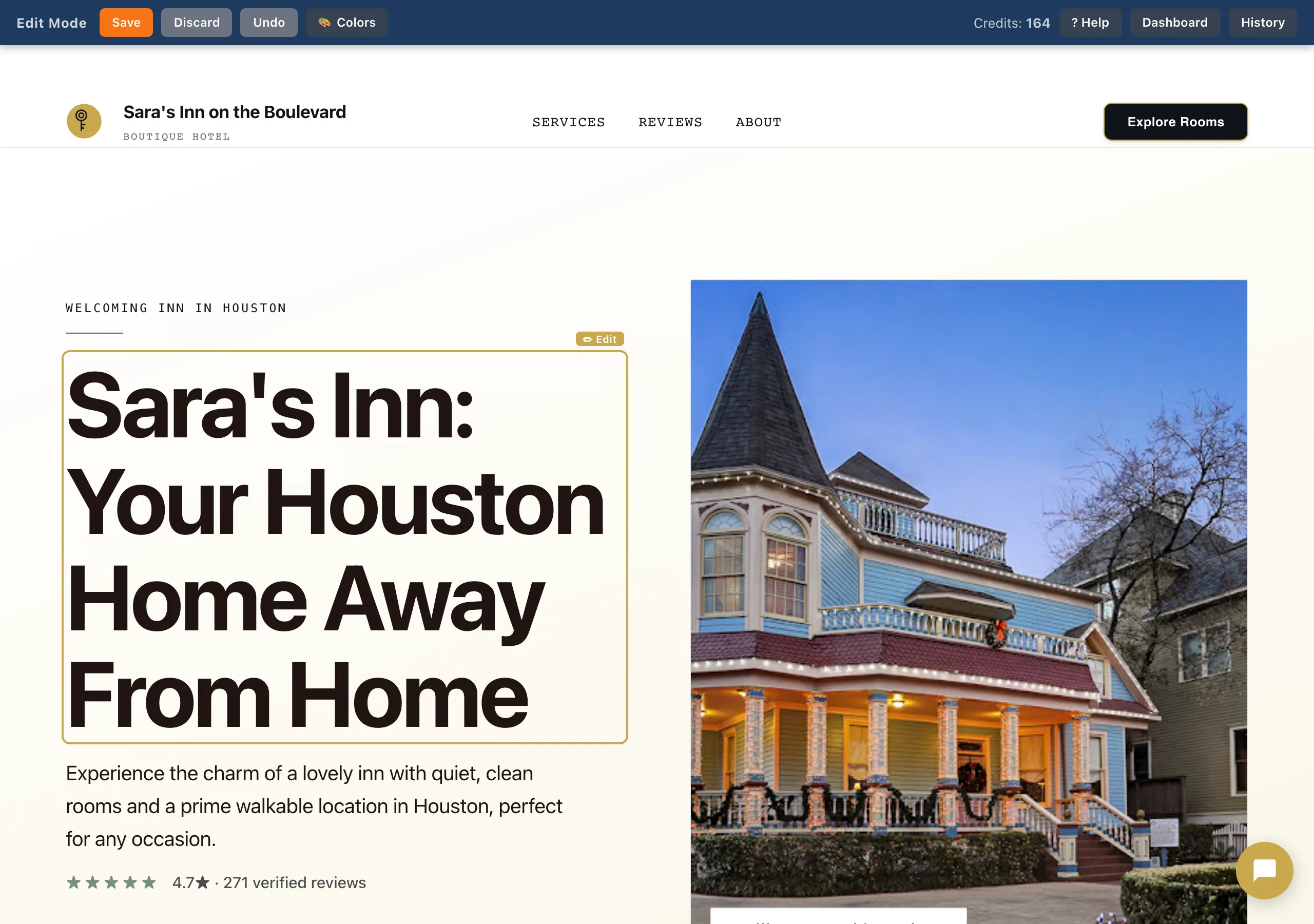
Owner edit mode on a live SiteNeuro site, with the toolbar and an Edit badge on the headline
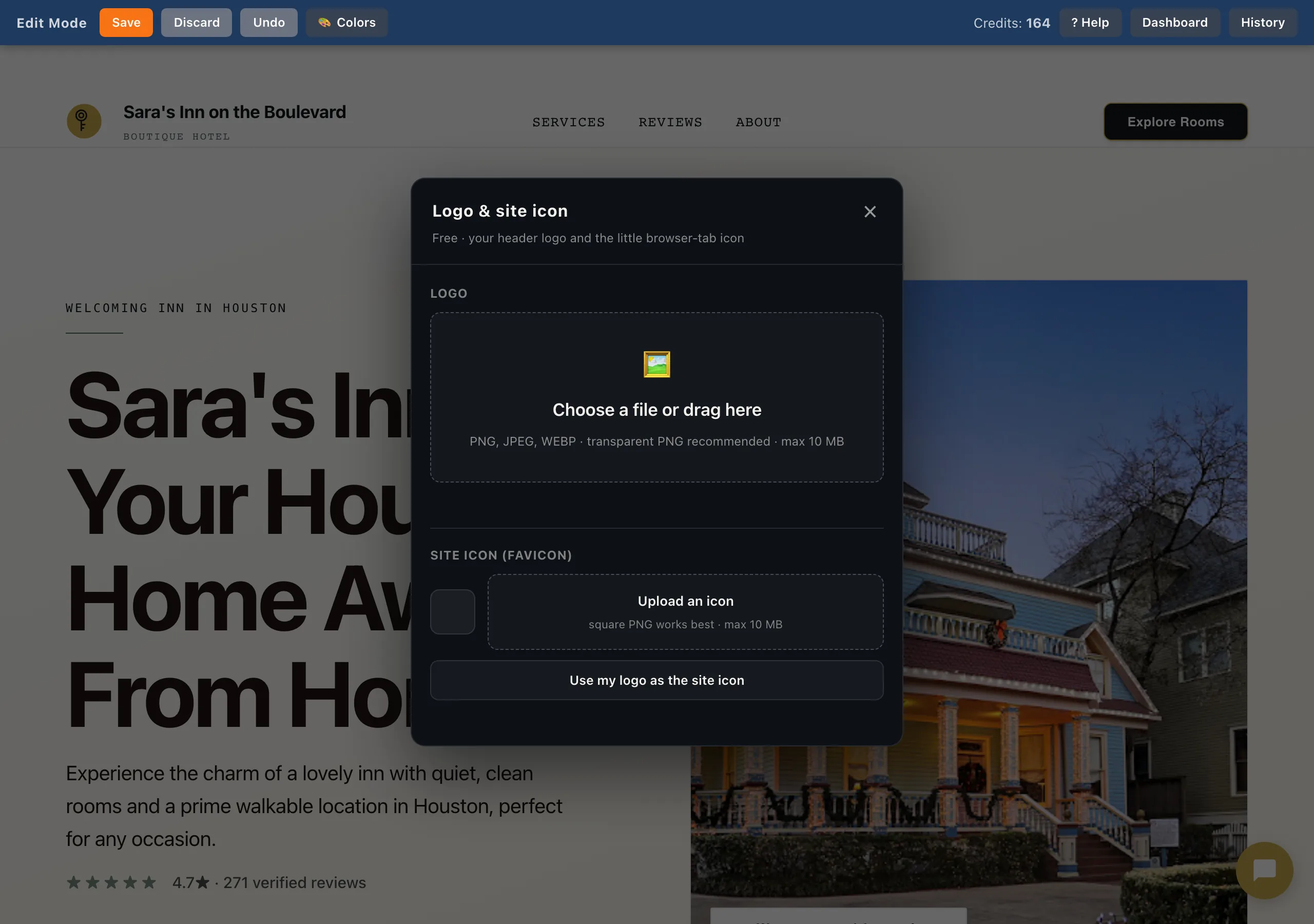
The Logo and site icon panel in owner edit mode, with drag-and-drop upload for the logo and favicon
Site editor

Click it. Change it. It's live.

There is no builder to learn. Log in on your own site and a toolbar appears: hover anything and an Edit badge shows what you can change.

Headlines and body copy, your logo and browser-tab icon, photos, colours, and which sections show at all. Undo is one click and every save is in your history.

  • Text
  • Logo + favicon
  • Photos
  • Colours
  • Show / hide sections
  • Undo + history

Text edits, photo swaps and uploads are free on every plan — credits are only for AI generation.

The analytics panel: visitors, leads, chat starts and blogs charted day by day
Analytics & strategy

Numbers that come with a next move.

Visitors, leads, chat starts and posts published, day by day — plus a plain recap of what you and Neuro actually did this week.

Then Neuro reads them and writes your Growth Brief: what's working, what isn't, and the specific things to do next. Monthly on Neural, weekly on Apex.

The economics

Neuro wears six hats. You pay for one.

Every job below is one a growing business has to get done. You can hire it out, or you can do it yourself at night. Here's what each one really costs either way.

The job Hire it out Do it yourself With Neuro
Web designer
+ hosting
$100–300/mo (build, spread over a year) plus $15–30/mo hosting A weekend to build — then it goes stale, because editing it is a chore Built in ~60s from your reviews and photos. Hosting included.
Copywriter $50–150 per post (~$100–300/mo at two) 2–4 hrs per post, research included 4 credits. Drafted in about a minute; you approve it. Or write it yourself, free.
SEO specialist $300–1,000/mo Realistically, it never happens Shipped with the site, then scored live out of 100 — Google and AI search.
Social media manager $200–800/mo 3–5 hrs a week, every week Captions and the image, ready for you to post — or written on autopilot from your Knowledge Base. Neural+
Answering service $100–300/mo Missed calls and unanswered enquiries Answers 24/7 in your voice, captures the lead, takes the booking.
Email marketing $20–50/mo for the tool, plus someone to write it 2 hrs per send, so it rarely gets sent NeuroConnect writes it; you approve the send. Neural+
Total $835–2,780/mo 20+ hrs/mo $19–119/mo

Hiring figures are typical US small-business rates — ranges, not quotes, and deliberately at the conservative end. Your own numbers will differ. The point isn't the exact total; it's that one subscription covers all six.

What a month actually buys

Credits are Neuro's fuel. A blog post — researched, written, SEO-structured — is 4 credits. Your plan's credits refresh monthly; top-ups and bonus credits never expire.

Plan Founding Standard Credits / mo
Foundations$19$2920
Neural$59$7980
Apex$119$149200

Founding rates lock in for as long as you stay subscribed. Every founding plan gets double credits in its first month. Need more mid-month: 10 for $9, 50 for $39, 100 for $69 — no expiry.

And the running around is free

Credits are only ever spent when Neuro generates something. The everyday jobs that used to mean emailing whoever built your site cost nothing, on every plan.

→

Changing your opening hours or prices. Click the text, type it, save. Live immediately.

→

Swapping photos, your logo, your colours. Upload and it's done — no credits, up to a generous monthly limit.

→

Teaching Neuro something new. Uploading a price list or adding an answer is free, and every customer gets it from then on.

→

Answering customers, around the clock. Chat isn't metered by credits — it's part of your plan.

→

Hiding a section you don't want. Toggle it off. Undo is one click, and every save is in your history.

Neuro vs. the alternatives

Wix is a do-it-yourself builder; Lovable is an AI app builder you prompt yourself. Neuro builds it from your real reviews and photos and keeps running your growth.

  Neuro Wix Lovable

✓ included  ·   ~ with effort or on a higher plan  ·   — not offered

Wix & Lovable pricing as of 2026; you build and maintain those sites yourself.

Now see yours.

Your website, your 24/7 assistant, and your growth plan — built from your real Google reviews and photos, live in under a minute.

Exact name as listed on Google Maps

Free to look, free to build — activating is $19/month

Link copied
See your website — free →