Growth Guides
Social Media Without the Grind — A Posting Rhythm Busy Owners Can Keep
What's the best social media plan for busy business owners? Post about six times a month, roughly once every five days, and keep that up every month.
Rotate four kinds of post: a service spotlight, proof from a customer, a useful tip, and an announcement.
That's the whole system. Consistency beats volume.
Every owner knows the cycle.
You post three times in one motivated week.
Then a busy month hits.
Then the account sits silent for 90 days.
And a silent account is worse than no account — because people do check it before they call you.
This is the guide to social media for busy business owners: what actually matters, what doesn't, and a rhythm you can keep even in your busiest season.
What social media actually does for a local business
Let's be honest about the job.
For most small businesses, social isn't where strangers discover you — Google is. Social is where people verify you:
- They found you on Maps, now they check if you're still active.
- A friend recommended you, now they scroll your page to see your work.
- They're on the fence, and your last post tips them.
Your social feed is a trust signal, not a megaphone. Its job is to look alive.
That reframes everything. You don't need to go viral. You need to be visibly in business.
The rhythm that beats the algorithm
Consistency beats volume. Full stop.
Your growth partner
A website is the start. Neuro keeps it working.
- Built from your Google or LinkedIn
- Answers visitors, captures leads
- Drafts blog, social and newsletter
- Nothing goes out until you approve it
Rated Excellent on TrustpilotGlobal review platform · 300M+ reviews
Six posts a month, every month, does more than thirty posts in January and silence until June.
A rhythm that works and survives real life:
- Baseline: 6 posts a month — roughly one every five days.
- Growing: 3–4 a week across your platforms.
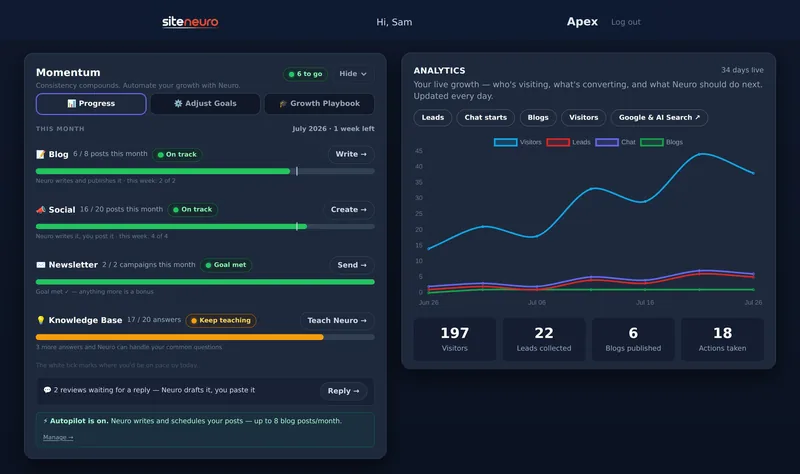
- Full pace: ~5 a week — about what the Apex plan recommends in your dashboard.
And you only need four kinds of post, rotating:
- Spotlight — a service or product, plainly shown.
- Proof — a review, a before/after, a finished job.
- Tip — one useful thing you know that customers don't.
- Announcement — hours, offers, seasonal reminders.
That's it. No dances required.
"I never know what to write"
The blank caption box is what kills the rhythm — not the ideas.
Here's how SiteNeuro owners do it from the dashboard:
- Social Studio builds posts from your business's real data — your services, your city, your actual reviews — so every caption is specific, not generic filler.
- Neuro writes the caption and a branded image for Instagram, Facebook, LinkedIn, or X. You pick the angle: spotlight, proof, tip, or announcement.
- Want it different? Edit any line, swap in your own photo, done.
- On Neural, you can schedule the set — Neuro reminds you with everything ready to paste when it's time.
Minutes a week. And the feed never goes silent again.
One more thing: put your posts on your website
A post dies in the feed in 48 hours. On your website, it works forever.
Your site's Social section can show your best posts to every visitor — proof of life for the people verifying you. From the dashboard, adding a post to your site is one click.
The same "never start from a blank page" idea runs the blog side too — see how Neuro handles your blog writing.
How often should a small business post on social media?
Enough to look consistently active — for most local businesses that's 4–8 posts a month, every month. Consistency matters far more than volume.
Which platform should I focus on?
The one your customers already use to check you. For most local businesses that's Instagram and Facebook; for professionals and B2B, LinkedIn. Pick one or two — a live account beats four dying ones.
Do I need to pay for ads?
Not to look credible. Organic posts do the verification job. Ads are a separate, optional game for reaching strangers — get the rhythm first.
What's the biggest social media mistake local businesses make?
Going silent. An account with a post from eight months ago quietly tells visitors "maybe they closed." Post at a pace you can sustain forever, not a pace you can sustain for two weeks.
Ready to put this to work?
Pick how much help you want. Both start with a free look at your site.
Apex Concierge $119/mo
Your website, plus a growth team every week.
- Your site in your inbox within 2 hours
- 30-minute setup call with a specialist
- Answers visitors, captures leads
- Drafts blog, social and newsletter
Essential $39/year
Just the website, done properly.
- Built from your Google or LinkedIn
- Set up for Google and AI search
- Hosting and security included
- Unlimited edits, no extra cost
Rated Excellent on TrustpilotGlobal review platform · 300M+ reviews