Product Guides
What Happens After You Request Your Website — Your Neuro Setup Guide
You just asked us to build your website. Here is exactly what happens next.
This is your Neuro setup guide. Read it now, while your site is being built — it takes about six minutes, and it means you will already know what you are looking at when your link arrives.
Nothing here needs an account. Nothing here costs anything.
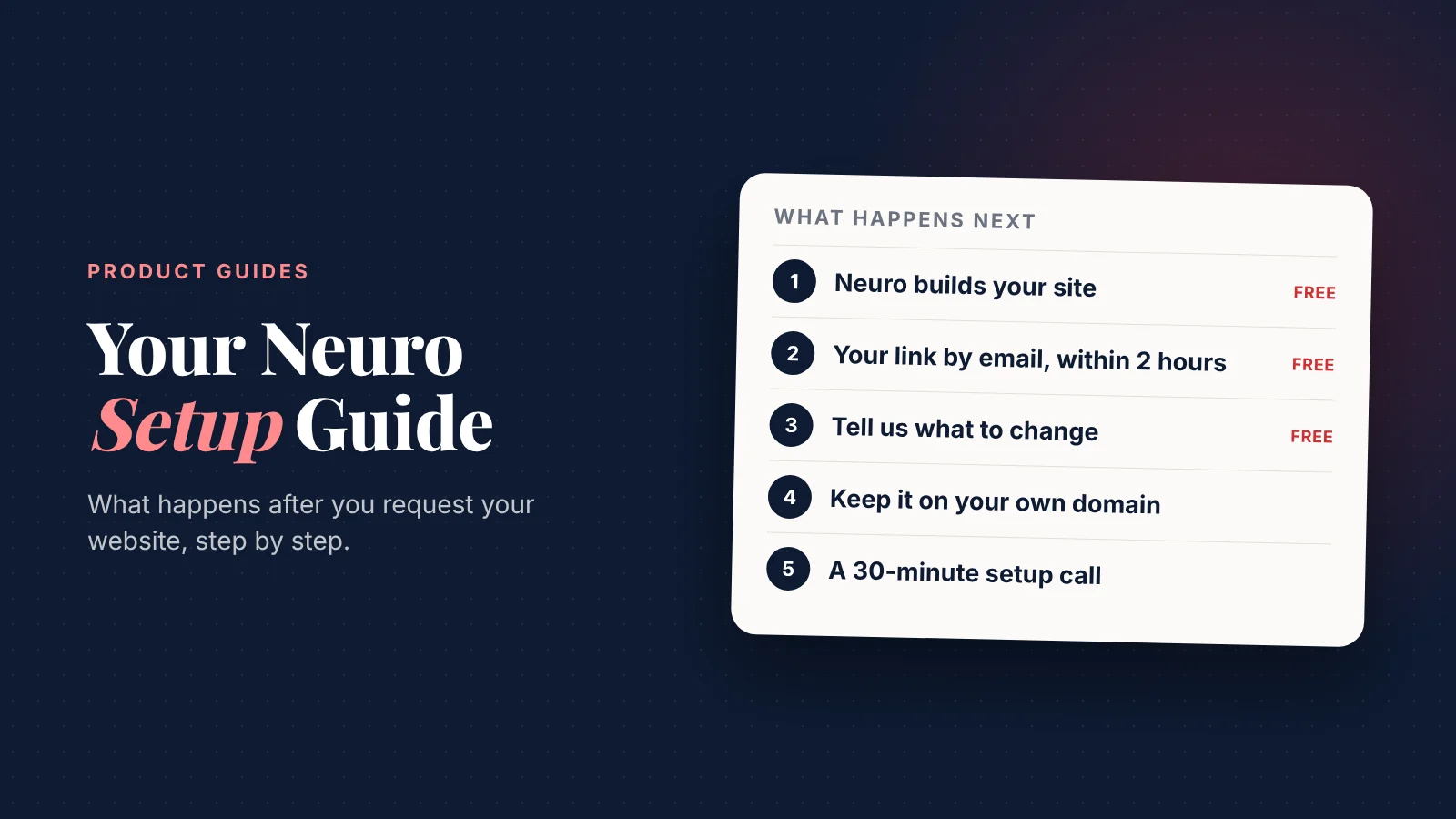
What happens next, in order
- Neuro builds your site. Not a template. The engine reads your real business or profile data, writes the copy for your niche, picks a design that suits it, and ships it ready for Google and AI search.
- You get the link by email, within 2 hours. No card, no account, no commitment. Just a live page to look at.
- You tell us what is wrong with it. Most people want two or three things changed. That is normal, and it is the point.
- If you want to keep it, you subscribe. Your site goes live on your own domain.
- We set Neuro up with you. A 30-minute call, and your marketing starts running.
Steps 1 to 3 cost nothing. You only pay if you actually want the site.
What does "built for your niche" actually mean?
A dentist's site and a roofer's site should not be the same page with different photos.
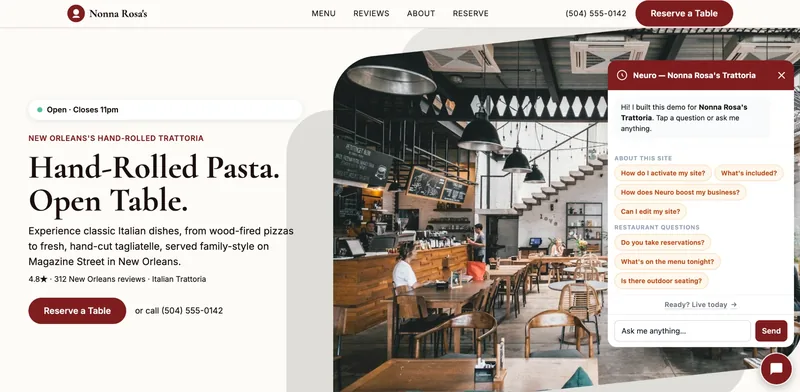
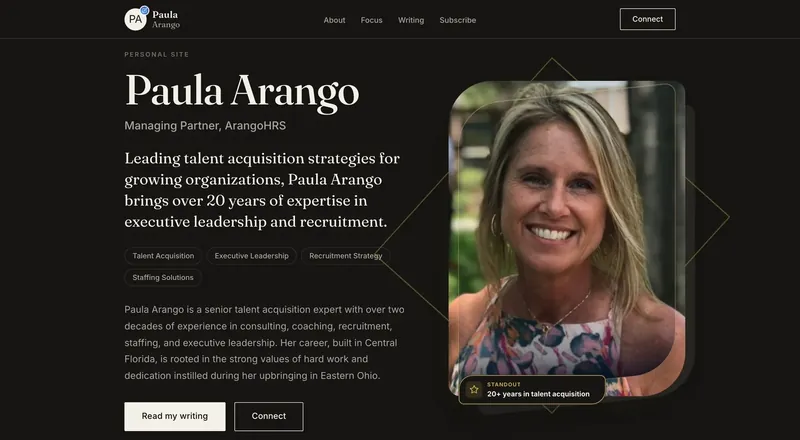
Neuro knows the difference. It changes what goes at the top, what the buttons say, and what a visitor is asked to do — because someone with a burst pipe behaves nothing like someone choosing an orthodontist.
It also ships ready for Google and AI search on day one:
- Local SEO and structured data, so Google understands what you are and where.
- Content written to be quotable, so ChatGPT and Perplexity can cite you when someone asks for a business like yours.
That second one is newer, and most sites are still not built for it. Increasingly, people ask an assistant instead of searching.
What to get ready while you wait
None of this is required. But the people who have these ready get a much better first draft.
Photos. Five to ten real ones beat any stock image. Your team, your premises, your work, your food. Taken on a phone is fine — real beats polished.
Your logo, if you have one. Any format. If you do not have one, Neuro will build a clean wordmark from your name.
The three things you want people to do. Call you? Book? Order? Get a quote? Your site should push hard at those three and quietly at everything else.
Anything you are asked constantly. Opening hours, parking, whether you take walk-ins, how long a job takes, what it costs. These become your FAQ, and Neuro answers them for you.
The fastest way to a great site is a short list of what your customers actually ask you.
What if the first draft is wrong?
Then say so. That is what the review step is for.
Here is the thing most people do not expect: changes are made by asking, not by editing. You will not be dragging boxes around a page builder at midnight.
You type what you want changed. Neuro changes it.
"Make the headline about emergency call-outs." "Swap the second photo." "Add a section about our warranty." That is the whole skill.
What about my domain?
Your domain stays yours. That is the part worth saying plainly.
Your growth partner
A website is the start. Neuro keeps it working.
- Built from your Google or LinkedIn
- Answers visitors, captures leads
- Drafts blog, social and newsletter
- Nothing goes out until you approve it
Rated Excellent on TrustpilotGlobal review platform · 300M+ reviews
We do not have access to your registrar, and we do not want it. Your GoDaddy, Namecheap or Cloudflare login is yours alone — nobody at SiteNeuro should ever be asking for it.
So there is one short job only you can do: point your domain at Neuro. It takes about five minutes.
Here is how it goes:
- Neuro shows you the exact records to add — copied from your dashboard, no guessing.
- You log into your registrar and paste them in.
- Neuro watches for the change and tells you when your site is live.
You are following instructions written for your specific registrar, not deciphering DNS. The full domain setup guide covers Cloudflare, GoDaddy, Namecheap and the rest, screen by screen.
Do not own a domain yet? You can buy one through Neuro instead, and then there is nothing to connect — it is configured for you.
And if it does go wrong, this is exactly what the setup call is for. Bring it there.
What the 30-minute setup call covers
Once you subscribe, you get three morning slots to choose from and a half-hour on Zoom with Saygin, our founder.
We do not spend it on a demo. We spend it setting your account up so it runs without you:
- Your domain, if you have not connected it yet — we do it together, on the call.
- Your knowledge base — what Neuro should know about you, so it answers visitors correctly.
- Your first blog post and first social set, generated while you watch.
- Google and AI search, so you show up in both.
- The weekly rhythm — what to check, and what to ignore.
You leave the call with a live site and a marketing system already running. Not a to-do list.
Your first week
Day one: your site is live on your domain.
Day two or three: your first blog post is published and your first social set is scheduled.
End of week one: your Growth Brief arrives. It tells you what moved, what did not, and what to do next.
After that it is a few minutes a week. That is the whole commitment.
What Neuro keeps doing after that
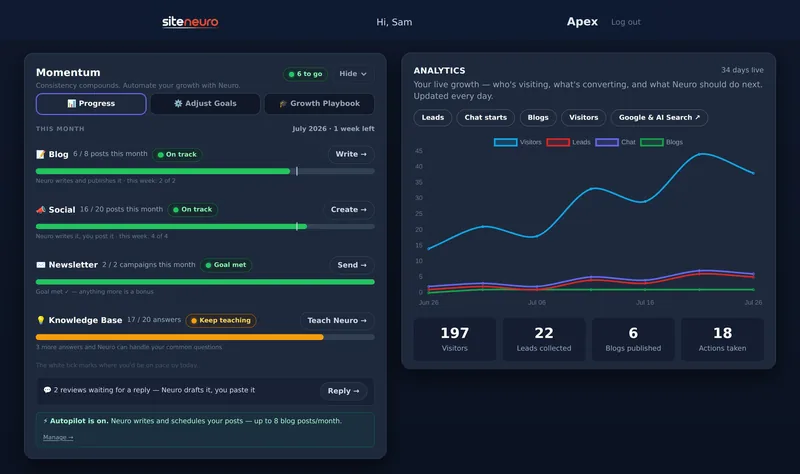
This is the part people underestimate. The website is the beginning, not the product.
- Blog posts, written about your business and your area.
- Social content, written and scheduled.
- Newsletters to your past customers.
- Google and AI search optimization — so you get found in ChatGPT and Perplexity as well as Google.
- Review replies, drafted for you.
All of it runs on credits, which every plan includes monthly. Nothing happens without you approving it.
Read this next
When your site is live and you are logged in, one of these two guides walks you through every button in your dashboard.
- Running a local business — shop, clinic, restaurant, trade? Read the owner dashboard guide.
- Building a personal brand — consultant, lawyer, coach, advisor? Read the professional dashboard guide.
Do not read them yet. They make far more sense once you have the dashboard open in front of you.
How long until I see my website?
About two hours. Neuro generates it in roughly a minute — the rest of the wait is a person checking it before it reaches you.
Do I need to pay to see it?
No. The first draft is free, and there is no card required to get it. You only pay if you decide to keep the site and put it on your own domain.
What if I do not like it?
Tell us what is wrong and we will change it. If it is still not right, you walk away and it has cost you nothing.
Do I need any technical skills?
No. If you can send an email, you can run a Neuro site. Changes are made by typing what you want in plain English.
Can I use my existing domain?
Yes. If you already own one, you connect it during setup. If you do not, you can buy one through Neuro and it is configured for you.
What if I already have a website?
Plenty of people do. The question is whether it brings you customers. If it looks dated, loads slowly on a phone, or has not been touched in two years, it is costing you more than it saves.
Who actually runs the setup call?
Saygin, our founder. A real person, not a recorded walkthrough.
Ready to put this to work?
Pick how much help you want. Both start with a free look at your site.
Essential $39/year
Just the website, done properly.
- Built from your Google or LinkedIn
- Set up for Google and AI search
- Hosting and security included
- Unlimited edits, no extra cost
Apex Concierge $119/mo
Your website, plus a growth team every week.
- Your site in your inbox within 2 hours
- 30-minute setup call with a specialist
- Answers visitors, captures leads
- Drafts blog, social and newsletter
Rated Excellent on TrustpilotGlobal review platform · 300M+ reviews