How Neuro Works
Your Website Is Live. Now What? What Actually Happens After Launch
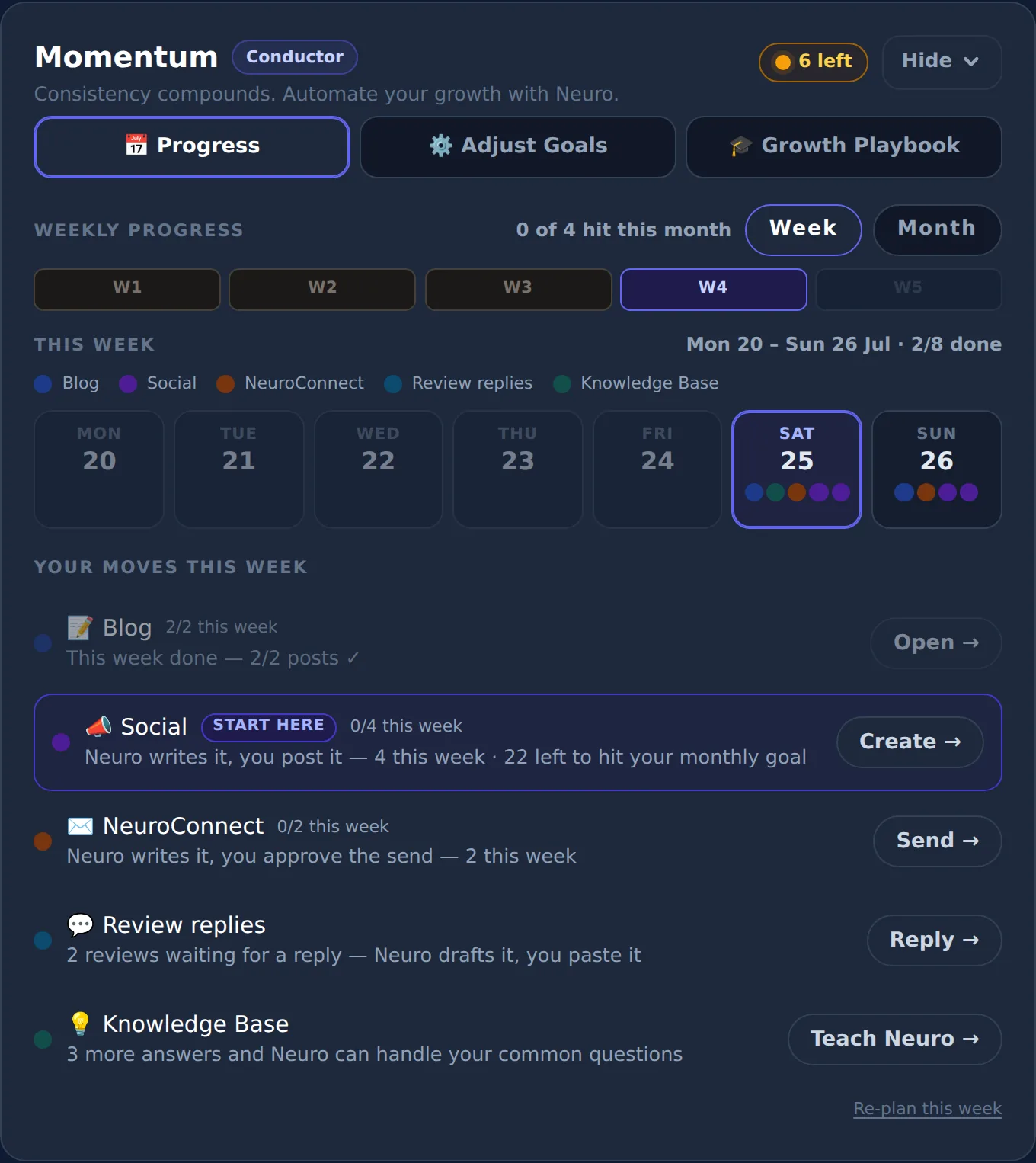
What should you do after launching your website? Keep it alive. Add fresh content, show up where customers look, collect and answer reviews, stay in touch with past customers, and check what's working.
Launch day feels like the finish line.
It's actually the starting line.
And that's where most small business websites quietly stall.
This is part 1 of our "Beyond the Launch" series — a practical look at the work that turns a website into customers, and how Neuro does that work with you.
Why most small business websites go quiet
Here's a pattern you've probably seen.
A business finally gets a website. It looks great. The owner shares it on Facebook.
Then... nothing changes.
Six months later, the "latest news" is from launch week. The photos are the same. The hours are wrong over the holidays. And traffic is roughly what it was on day one.
It's not laziness.
It's that nobody told the owner the website was a job, not a thing.
Most website builders — Wix, Squarespace, GoDaddy and the rest — are genuinely good at the building part. Many also give you blog, email and SEO tools.
But a tool isn't the work.
You still have to sit down every week and write the post, plan the email, reply to the review and figure out what to change. For someone running a business, that's the part that never happens.
The five jobs that decide whether a website brings customers
After launch, a website only earns its keep if five jobs keep getting done.
1. Fresh content
Every new blog post is a new door into your site from Google and from AI search. A site that never changes gives search engines — and visitors — little reason to come back.
2. Showing up in search (Google and AI)
Being found now means two things: ranking on Google and being understood by AI assistants like ChatGPT. That takes clean structure, accurate business facts and answers to the questions customers actually ask. (Here's how to get cited by AI assistants.)
3. Reviews and replies
Reviews help you get found and get chosen. Replying to them shows you're paying attention.
4. Staying in touch
Your past customers are your cheapest future revenue. A short, useful email every few weeks keeps you in mind when they need you again — or when a friend asks for a recommendation.
5. Knowing what's working
Without a simple read on visitors and leads, every decision is a guess. And guesses usually mean doing nothing.
Five jobs. Every week. On top of running the business.
That's the real reason websites go quiet.
Where Neuro comes in
SiteNeuro was built around a simple idea: the website is the starting line, so the help shouldn't stop at launch.
Curious what yours would look like?
Local business or professional — Neuro builds your site from your own data in about 60 seconds.
Build my demo in 60 seconds →

Neuro is the AI team behind your site. Here's how it handles each job — with you staying in control of what goes out.
A monthly plan you can see
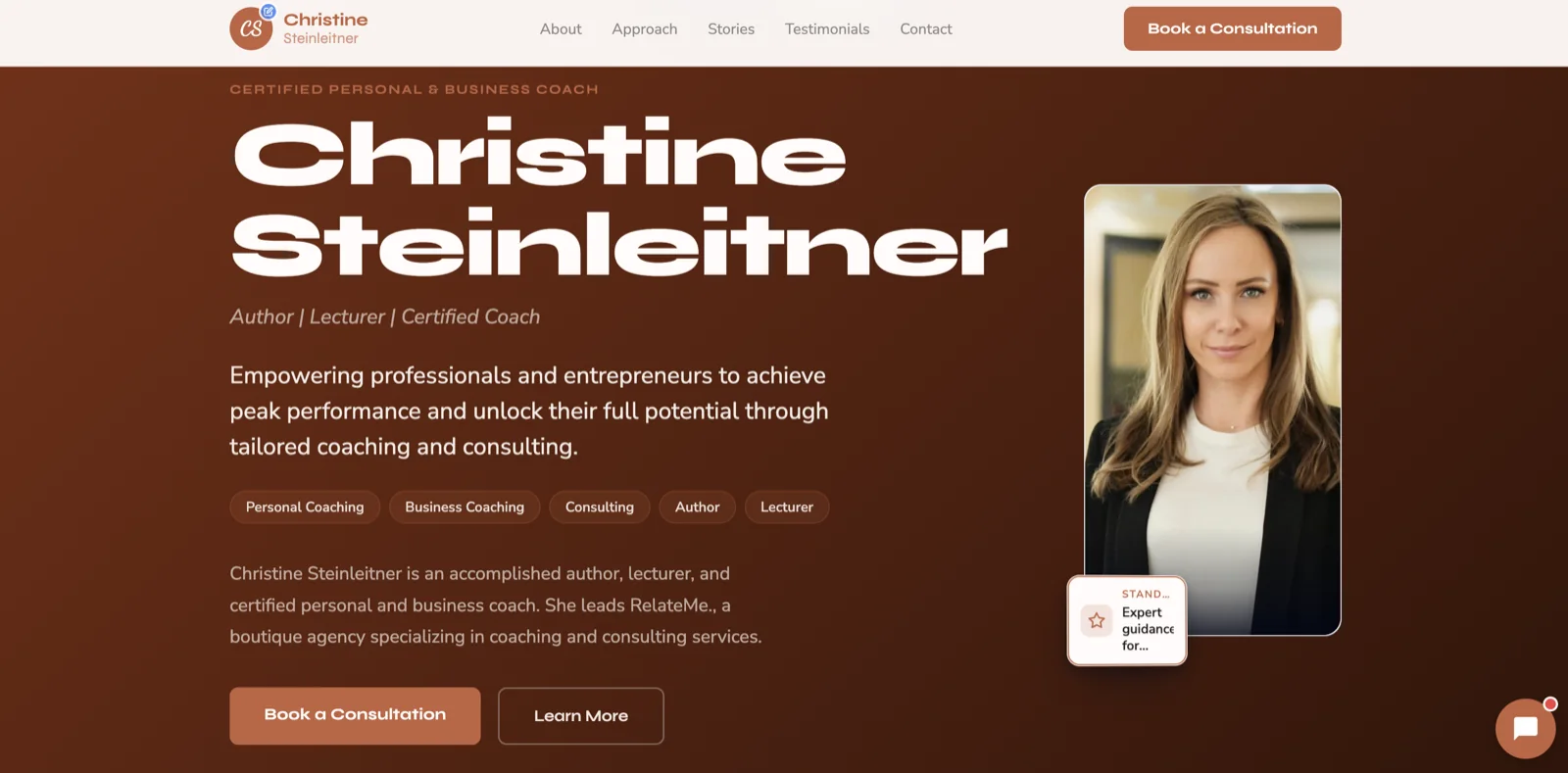
Momentum turns "grow the business" into a short checklist. You set monthly goals per channel — blog posts, social posts, emails, review replies — and choose how much Neuro does on its own: publish, draft only, or ask first.
One bar per channel shows what's actually published this month, colored by whether you're on pace. (How Momentum works.)
Content, drafted from your real business
Neuro drafts blog posts and social posts grounded in your actual services, location and reviews — not generic filler. You review, edit and publish. (How to use Neuro as your blog copywriter.)

Search readiness, scored
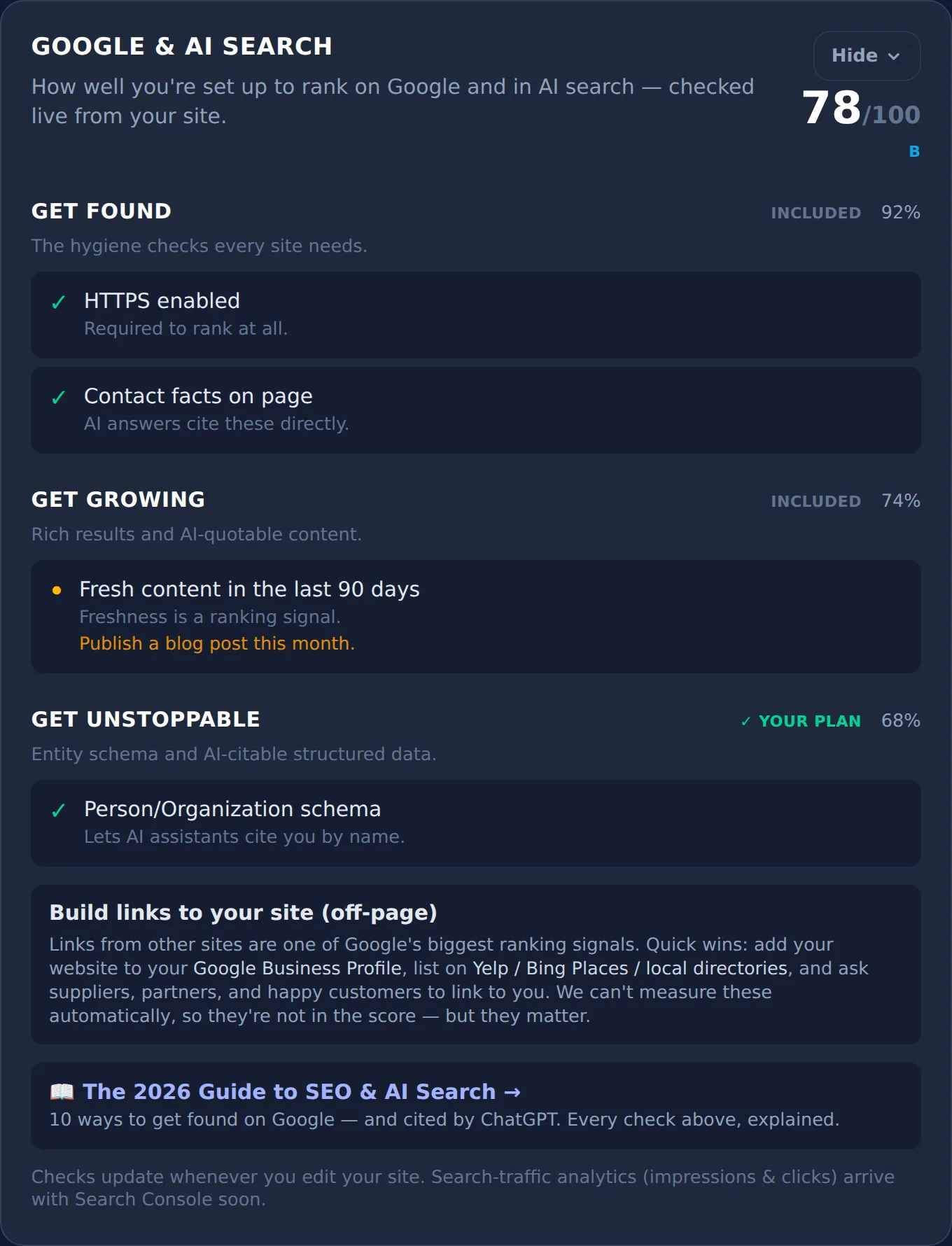
Every Neuro site ships with SEO and AI-search structure in place. The Google & AI Search card shows your score, explains anything not yet passing and lists the off-site steps that matter, like your Google Business Profile.
Review replies, drafted for you
For local businesses, NeuroReply pulls in new Google reviews and drafts a warm, careful reply to each — softer on lower ratings. You check it, then post.
Emails to the people who already trust you
NeuroConnect sends newsletters, offers and win-back emails to your customer list, drafted from your real business details and sent once you approve them.
A read on what's working
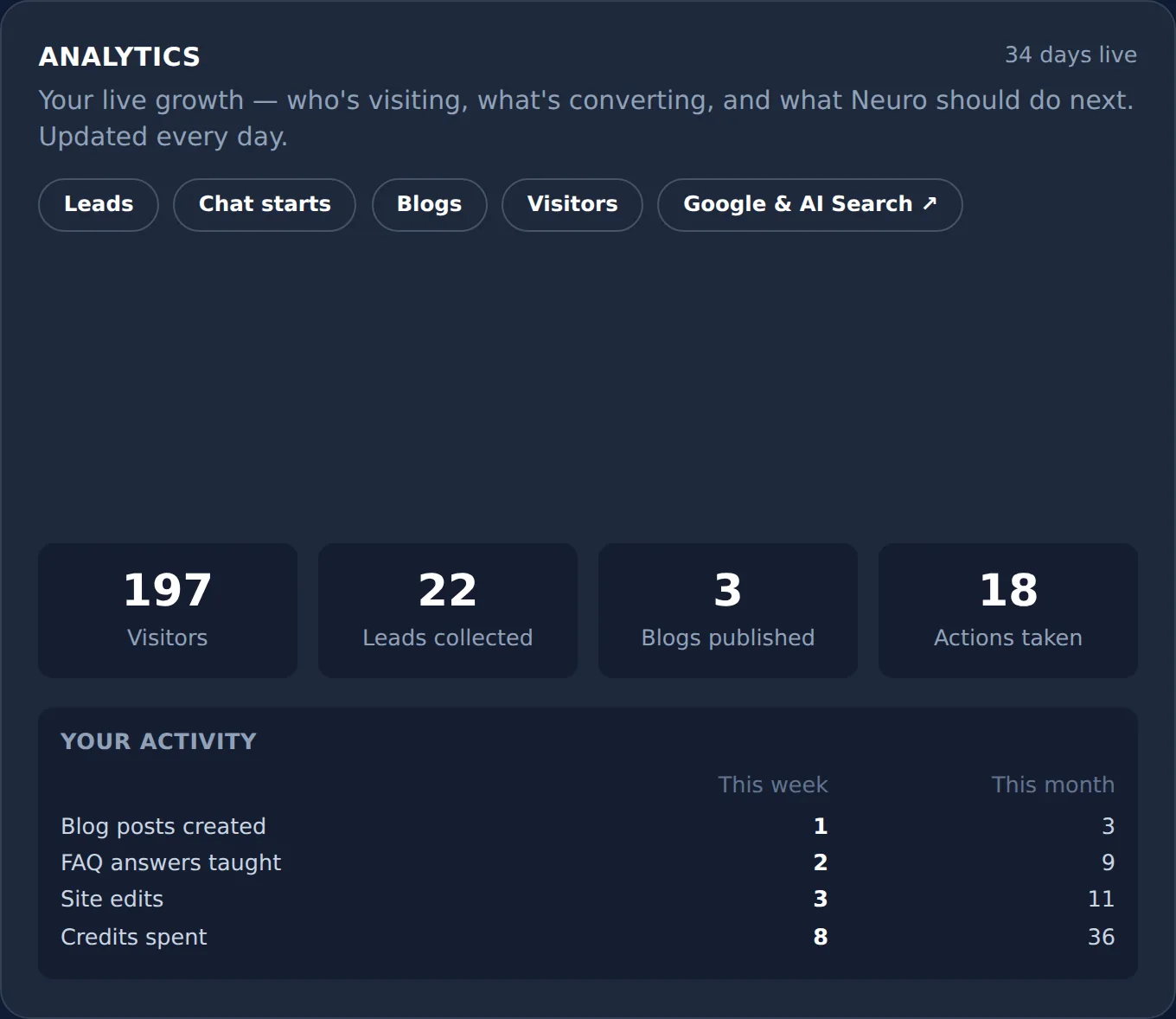
The Analytics & Strategy tab shows visitors, leads and activity over time, plus a Growth Brief — a short strategy memo drawn from your own traffic and leads.
A site assistant that knows your business
A Neuro assistant on your site answers visitor questions using your own Knowledge Base, so the same five questions don't eat your day. (Why 15 minutes on your FAQ pays off.)
What you still do (and should)
Neuro does the heavy lifting. It doesn't replace you.
You still:
- Approve what goes out under your name.
- Add what only you know — this month's special, the new hire, the job you're proud of.
- Do the real-world work that earns the reviews in the first place.
Think of it like having a marketing assistant who drafts everything and never forgets — while you make the calls.
Just want the website? That's fine too
Not every business needs a growth engine right now.
If you simply need a professional site that's live, found and yours, SiteNeuro's Essential plan is exactly that. The jobs above are there when you're ready.
What's next in this series
Over the coming weeks we'll go deeper on each job:
- How to update your website yourself, without a developer
- How to post on social media every week without hiring anyone
- How to start a newsletter customers actually open
- How to tell what's working on your website
- How to stop answering the same customer questions
- How to keep a blog going when you have no time
Each one works whether you use Neuro or not.
Frequently asked questions
What should I do right after my website goes live?
How often should a small business update its website?
Why isn't my new website getting traffic?
Do website builders help with marketing after launch?
Do I need to post on social media if I have a website?
How do I know if my website is working?
See what Neuro would build for you
Build your demo from your own data in about 60 seconds — then watch your AI team take it live and grow it.
Build my demo in 60 seconds → Explore the showcaseWant Neuro running this for you every week? See Apex Concierge — from $119/mo →