AI Tools
ChatGPT vs Claude vs Gemini: Which AI Should a Small Business Use?
Which AI is best for a small business: ChatGPT, Claude or Gemini? All three are good, and the individual plans cost about the same, roughly $20 a month.
Pick by where you work and what you need most: Gemini if your business runs on Gmail, Docs and Sheets; Claude for writing, long documents and careful thinking; ChatGPT as the all-rounder with the most features, including images and voice.
You've heard you should be using AI.
So you open one.
Then a friend swears by another.
Then an article says a third one just "changed everything."
Now you're paying for none of them, because you can't decide.
Here's the good news.
You can't make a bad choice here. The difference between these three is smaller than the difference between using one and using none.
But one of them will fit the way you work better. Let's find it.
The short answer
| If you mostly need to... | Start with |
|---|---|
| Work inside Gmail, Google Docs and Sheets | Gemini (Google AI Pro) |
| Write emails, posts and proposals that sound like you | Claude |
| Read and summarize long contracts, reports or manuals | Claude |
| Make images, talk by voice, or try lots of features | ChatGPT |
| Get one tool for everything and not think about it | ChatGPT |
Full disclosure: I'm the founder of SiteNeuro, so weigh my view accordingly. My advice is the same rule I use when choosing any tool: pick each one for the job it does best.
What each one costs
Every one of them has a free version. The paid individual plans land within a dollar of each other.
| ChatGPT | Claude | Gemini | |
|---|---|---|---|
| Free plan | Yes | Yes, including web search and connectors | Yes |
| Individual plan | Plus, $20/month | Pro, $20/month (or $17/month billed yearly) | Google AI Pro, about $20/month |
| Team plan | Business, about $25 per seat/month (less billed yearly) | Team, $25 per seat/month ($20 billed yearly), 2 to 150 people | Through Google Workspace |
Claude prices are from Anthropic's pricing page, checked October 16, 2026. ChatGPT and Google prices change often by country and promotion, so check the vendor's pricing page before you buy.
Google AI Pro also bundles 5 TB of Google storage, which matters if you already pay Google for space.
Where each one shines
Gemini: if your business lives in Google
If your day is Gmail, Calendar, Docs and Sheets, Gemini has a real advantage: it works inside those apps.
On Google AI Pro, Gemini can help draft in Gmail and work inside Docs and Sheets, so you don't copy and paste between windows.
That makes it strong for:
- Drafting replies in your own inbox
- Summarizing a long email thread before a call
- Building or cleaning up a spreadsheet
- Turning rough notes into a document
If you use Microsoft 365 or don't use Google much, this advantage mostly disappears.
Claude: for writing and thinking
Claude is the one people tend to pick when the words matter.
It's strong for:
- Writing that sounds human. Website copy, a hard email to a client, a proposal.
- Long documents. Drop in a lease, a supplier contract or a 60-page manual and ask what you should worry about.
- Thinking a decision through. "Here are my numbers. Should I hire or outsource?"
Claude can also connect to the tools you already use, even on the free plan, through what Anthropic calls connectors. Gmail, Google Calendar, Google Drive, Canva, Notion, Slack and HubSpot are all in its directory. Which ones to turn on first is its own question, and I answer it in my guide to Claude connectors for small business.
Where it's weaker: it's built around text, documents and code. For images, ChatGPT and Gemini are the stronger picks.
ChatGPT: the all-rounder
ChatGPT is the most widely used of the three, and it has the most features in one place.
It's strong for:
- Images. Social graphics, product mockups, a quick flyer idea.
- Voice. Talk through a problem while you drive.
- Variety. Research, writing, spreadsheets and images in one app.
If you want one tool and never want to think about it again, ChatGPT is the safe default.
How they compare on real small business jobs
Here's how I'd split the everyday work:
Your growth partner
A website is the start. Neuro keeps it working.
- Built from your Google or LinkedIn
- Answers visitors, captures leads
- Drafts blog, social and newsletter
- Nothing goes out until you approve it
Rated Excellent on TrustpilotGlobal review platform · 300M+ reviews
| Job | Best pick | Why |
|---|---|---|
| Reply to a tricky customer email | Claude or Gemini | Claude for tone; Gemini if you want it done inside Gmail |
| Write a week of social captions | Claude or ChatGPT | Both write well; ChatGPT can make the image too |
| Make a social media image | ChatGPT or Gemini | Both create images; Claude doesn't focus on images |
| Summarize a supplier contract | Claude | Strong with long documents |
| Clean up a messy spreadsheet | Gemini | Works inside Sheets |
| Draft a proposal or quote | Claude | Clear, persuasive writing |
| Research a new supplier or competitor | Any of the three | All can search the web |
| Plan your week from your calendar | Gemini or Claude | Gemini in Google apps; Claude with its Calendar connector |
A word on your data
Before you paste in customer details, check two things:
- Training settings. On individual plans, look in the privacy settings for whether your chats can be used to improve the models, and turn it off if you prefer.
- Business plans. OpenAI's and Anthropic's business plans don't use your company's data for training by default. If you handle sensitive client information, that alone can justify the team plan.
Either way, don't paste passwords, card numbers or health records into any chatbot.
My recommendation
If you're starting from zero:
- Use the free version of the one that fits your work for two weeks. Gemini if you live in Google, Claude if you write a lot, ChatGPT if you're not sure.
- Give it real work, not test questions. Your actual emails, your actual spreadsheet.
- Pay for one plan only once you hit the free limits. About $20 a month is easy to earn back if it saves you two hours.
- Add a second one later only if you keep reaching for features the first one doesn't have.
The best AI for your business is the one you'll actually open every morning.
What none of them do for you
A chatbot is a brilliant assistant. But it waits for you.
It won't notice that your website hasn't changed in a year, that your Google reviews need replies, or that you haven't posted in three weeks. You have to remember, open it, and ask.
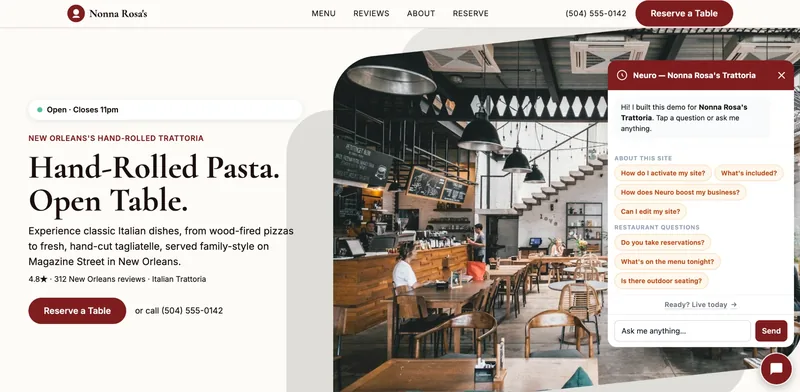
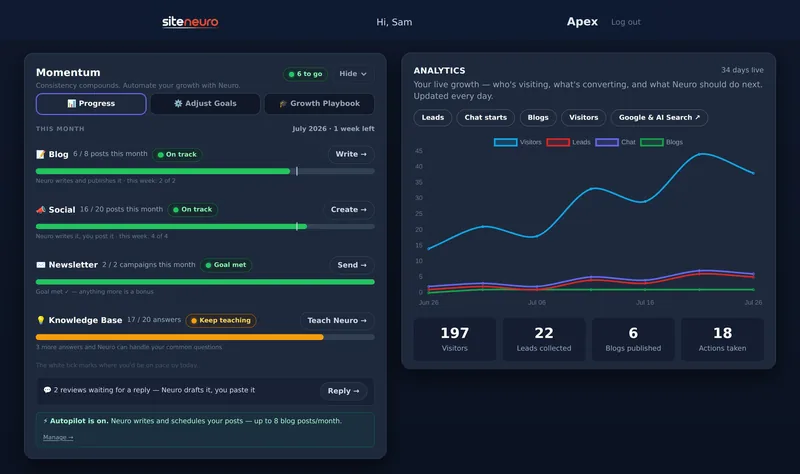
That's the gap SiteNeuro was built for. Neuro builds your website, then keeps the work going: social posts, blog drafts, review replies and an assistant that answers your customers on your site, with you approving what goes out.
Use a chatbot for your own work. Let something else keep your online presence moving.
Straight answers
Is ChatGPT, Claude or Gemini better for small business?
How much does AI cost for a small business?
Can I use AI for free in my business?
Is it safe to put customer information into AI chatbots?
Do I need more than one AI tool?
Ready to put this to work?
Pick how much help you want. Both start with a free look at your site.
Apex Concierge $119/mo
Your website, plus a growth team every week.
- Your site in your inbox within 2 hours
- 30-minute setup call with a specialist
- Answers visitors, captures leads
- Drafts blog, social and newsletter
Essential $39/year
Just the website, done properly.
- Built from your Google or LinkedIn
- Set up for Google and AI search
- Hosting and security included
- Unlimited edits, no extra cost
Rated Excellent on TrustpilotGlobal review platform · 300M+ reviews