Get More Customers
How Dentists Get More Patients From Their Website
Most new patients don't pick a dentist. They pick whichever practice shows up first and looks trustworthy when the pain starts.
How to get more dental patients comes down to three things: showing up when someone searches, looking legitimate the second they land on your site, and making it effortless to book.
Miss any one of those, and a patient who was ready to become yours books with the practice next door instead.
Here's how each piece actually works — and how to fix the ones that are costing you patients right now.
Most patients search before they ever call
Think about how someone actually finds a dentist.
A cracked tooth at 9pm. A cleaning that's overdue. A new resident in town, typing "dentist near me" into their phone.
They don't open the phone book. They don't ask a friend first, either — that comes after.
They search. And they pick from what's in front of them.
If your practice isn't showing up in that search, or it shows up looking half-finished, you're not in the running. It doesn't matter how good your dentistry is.
That gap — being invisible at the exact moment someone needs you — is why customers can't find you online, and it's the first thing to fix before anything else on this list matters.
The good news: it's fixable, and none of it requires a marketing degree.
Win the "dentist near me" and "emergency dentist" searches
Local search is where most new-patient decisions get made. Two searches matter more than any others:
- "Dentist near me" — the general, ongoing search from anyone looking to switch or find a first dentist.
- "Emergency dentist" — the urgent one, from someone in pain, searching right now, ready to book whoever answers.
Both searches pull from the same source: Google's local results, driven mostly by your Google Business Profile and how well your website matches what people are searching for.
To show up well, your practice needs to be:
- Close to the searcher — Google weighs proximity heavily, so your address and service area need to be accurate.
- Relevant — your profile and website should say "dentist," "dental," and your services in plain language, not just your practice's brand name.
- Active and trusted — profiles with recent reviews and regular updates outrank ones that look abandoned.
If you only fix one thing this month, fix your Google Business Profile. It's free, and it's the single biggest lever for local visibility.
Fill out your Google Business Profile completely — then keep it active
A half-finished Google Business Profile is one of the most common reasons a good dental practice loses patients it should be winning.
Go through your profile and make sure it has:
- Every service you offer listed — cleanings, whitening, implants, orthodontics, emergency care, whatever applies.
- Real, current hours — including holiday hours, which people check constantly.
- Photos of the office, the team, and the work — not just a logo.
- A direct phone number that rings your front desk, not a call center.
- Insurance and payment info, if you have room to note it.
Then keep it active. An empty, static profile signals "we might not even be open anymore" to both patients and to Google's ranking system.
Ask every happy patient for a review. Not a script, not pressure — just a short, genuine ask on the way out: "If you have a minute, a review helps other people find us."
A steady trickle of new reviews does more for your ranking than a burst of old ones ever will.
Answer the questions patients actually have
Once someone lands on your website, they're checking for a short list of answers. If your site doesn't have them, they leave and check the next practice instead.
Make sure your homepage answers, in plain language, without making the patient dig:
- Do you take my insurance? List the major plans you accept, even if the list isn't exhaustive.
- Do you see new patients? And is there a new-patient offer or exam special?
- What do you do for a dental emergency? Same-day appointments? After-hours line? Say it plainly.
- What are your hours? Including whether you're open evenings or weekends.
- Where are you, exactly? A map and a real address, not just a neighborhood name.
Every one of those is a decision point. A patient comparing three dentist websites in three open tabs will pick whichever one answers fastest — not whichever one has the nicest design.
Make booking a one-tap decision, not a task
Dental patients often search while they're in pain or under time pressure. That changes what your website needs to do.
Your growth partner
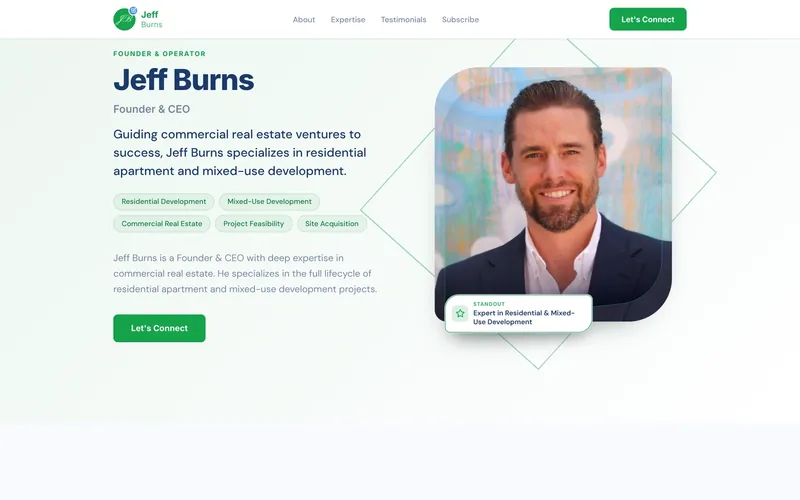
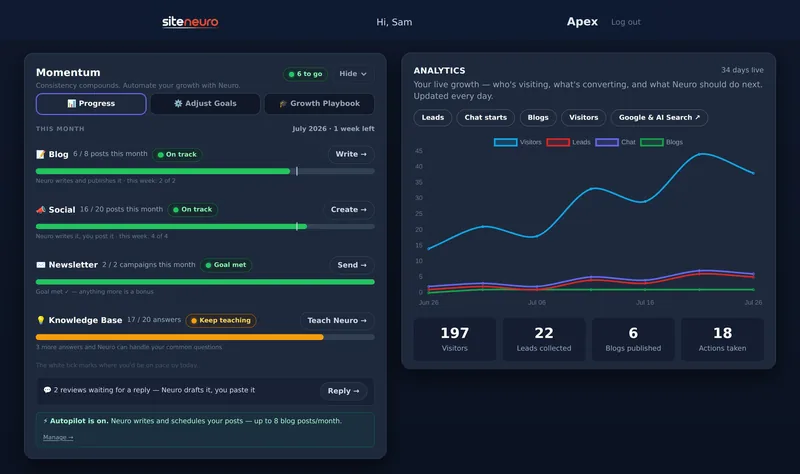
Neuro built No Limits Dental Midtown Manhattan's website. Then kept it working.
- Built from your Google or LinkedIn
- Answers visitors, captures leads
- Drafts blog, social and newsletter
- Nothing goes out until you approve it
Rated Excellent on TrustpilotGlobal review platform · 300M+ reviews
A patient in pain will not fill out a long form. They want to tap once and be talking to a person, or tap once and have an appointment request sent.
That means:
- A click-to-call button visible on every page, especially on mobile.
- A "Book an appointment" button that's easy to find without scrolling.
- A site that loads fast on a phone — a slow site loses mobile patients before it finishes loading, and most of your traffic is mobile.
- No unnecessary steps between "I need a dentist" and "I've reached one."
This is the same lesson plumbers learn about after-hours emergency calls and accountants learn about tax-season inquiries — whoever answers the urgent moment fastest usually wins the customer.
Show the work — before/after photos and a real smile gallery
Dentistry is visual. Patients want to see the kind of results you actually produce before they trust you with their own smile.
A simple gallery of real before/after cases, or general photos of finished work, does more to build trust than a paragraph describing your philosophy of care.
If you don't have photos yet, start collecting them now — with patient permission — because this is one trust signal that compounds over time.
Respond to every review — the good ones and the bad ones
How you handle reviews is public, and prospective patients read it.
- Thank people for positive reviews. A short, personal reply (not a copy-paste line) shows the practice is actively run by people who care.
- Respond to negative reviews calmly and professionally. Acknowledge the concern, avoid getting defensive, and invite them to call the office to resolve it directly.
- Never argue in public. A calm, professional response to a bad review often reassures future patients more than the review itself worries them.
A practice with a handful of thoughtful review replies looks more trustworthy than one with a perfect but silent profile.
What this looks like on a real dental website
It helps to see the whole thing working together instead of as a checklist.
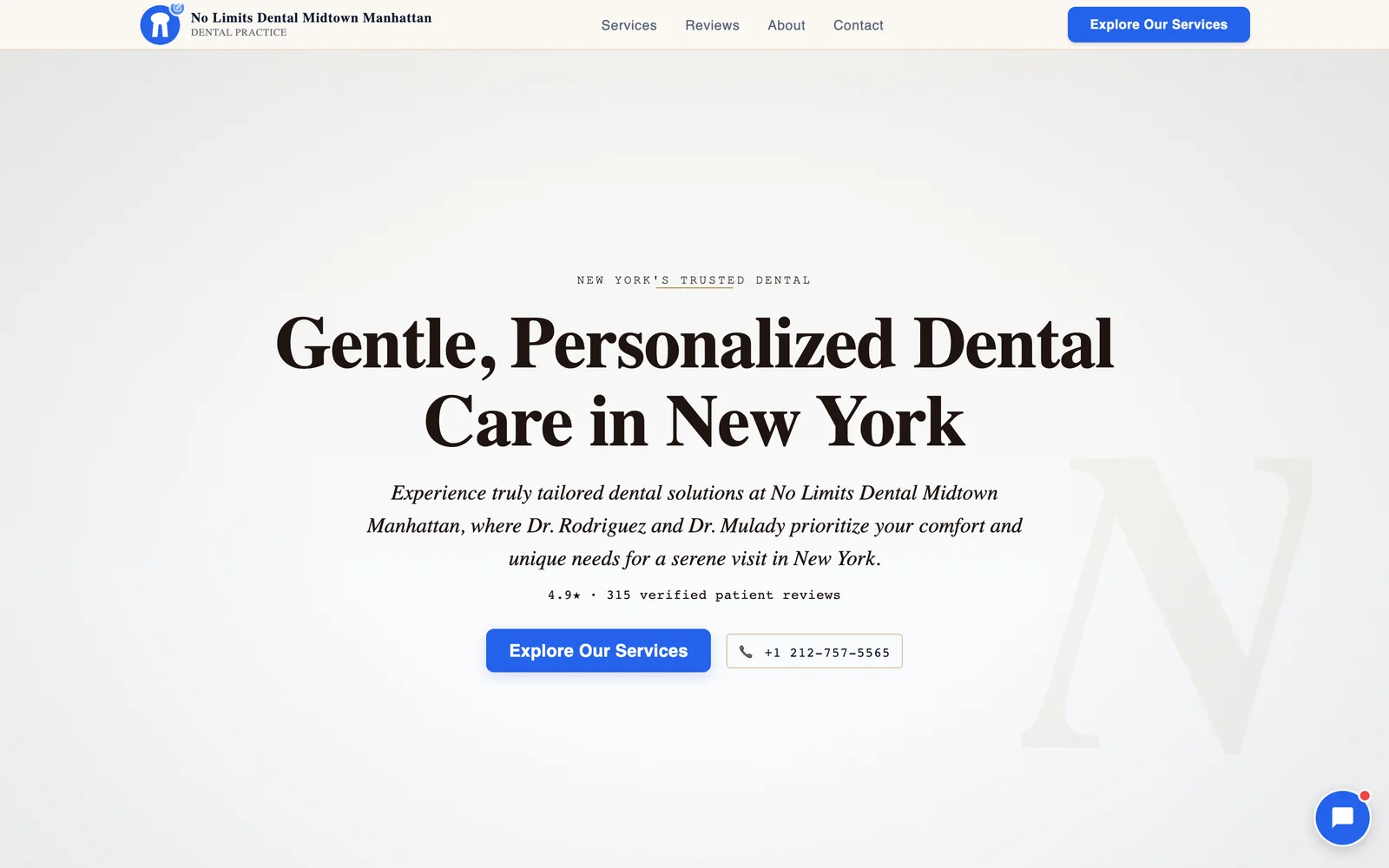
No Limits Dental Midtown Manhattan is a live demo site Neuro built directly from a real dental practice's Google Business Profile.
It pulls in the practice's actual services, its real patient reviews, and puts a book-now button front and center — so a patient searching for a Midtown dentist sees exactly what they need, fast, on any screen.
You can browse more real examples across other industries in the showcase to see the same pattern applied to different kinds of local businesses.
Keep doing what's already working
None of this replaces good dentistry or a good front-desk team — it just makes sure the patients who are already searching for a dentist like you actually find you, and actually book.
Fix your Google Business Profile first. Then make sure your website answers the real questions, loads fast, and gets a patient to a booked appointment in one or two taps.
Curious how dental practices in a specific market are actually doing online? We ran the numbers on one: the best website for dentists in Kissimmee, FL.
Straight answers
How do dentists get more patients?
Does a dental practice need a website if Google Business Profile is free?
How many Google reviews does a dental practice need?
What should a dental website's homepage include?
How important is mobile speed for a dental website?
Should a dental office respond to negative reviews?
Ready to put this to work?
Pick how much help you want. Both start with a free look at your site.
Apex Concierge $119/mo
Your website, plus a growth team every week.
- Your site in your inbox within 2 hours
- 30-minute setup call with a specialist
- Answers visitors, captures leads
- Drafts blog, social and newsletter
Essential $39/year
Just the website, done properly.
- Built from your Google or LinkedIn
- Set up for Google and AI search
- Hosting and security included
- Unlimited edits, no extra cost
See a real dental example: No Limits Dental Midtown Manhattan
Rated Excellent on TrustpilotGlobal review platform · 300M+ reviews