AI Tools
AI Bookkeeping for Small Business: What You Can Automate Today
The AI for your books may already be in software you pay for. Here's what to switch on, and what still needs a person.
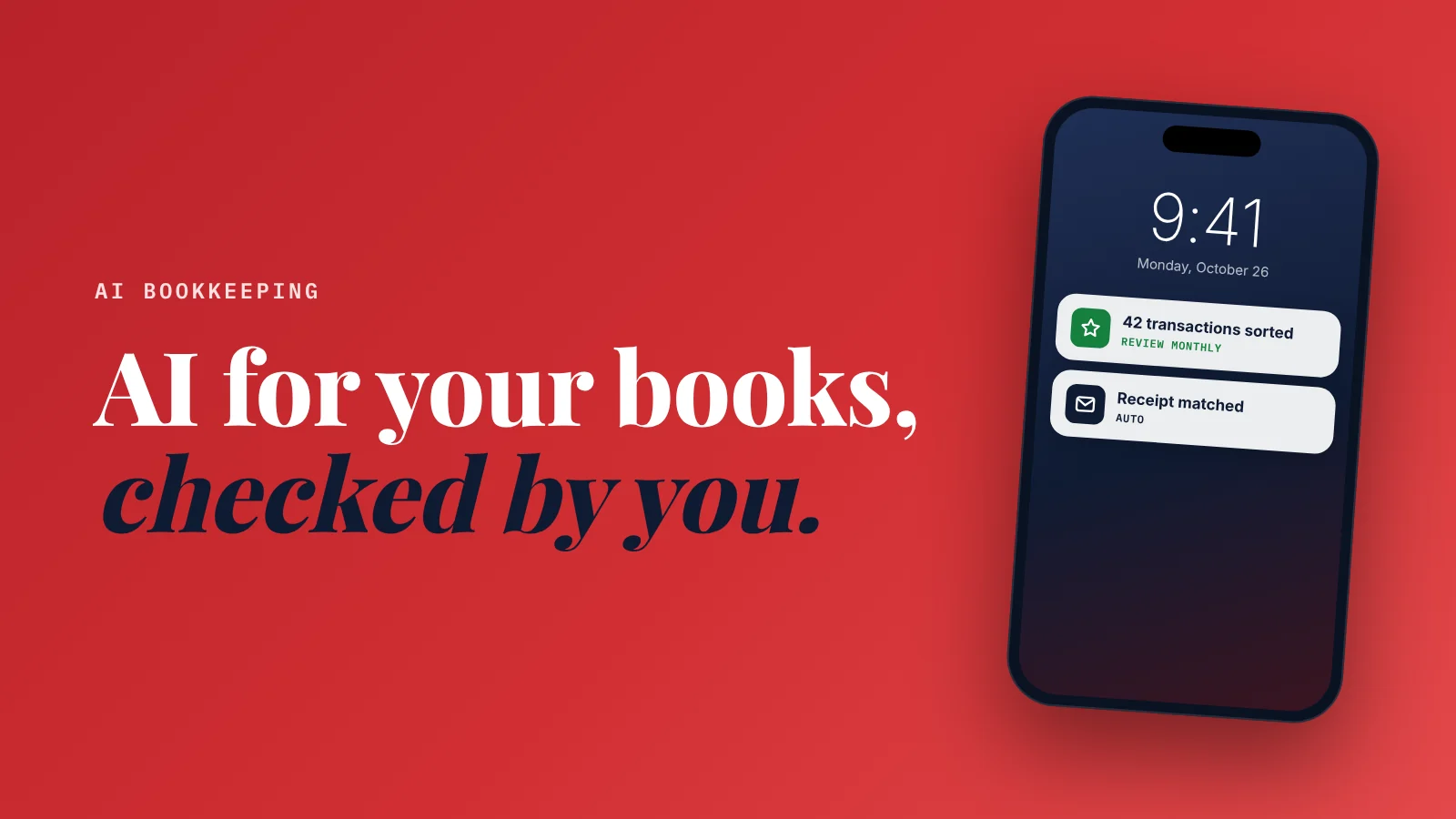
Can AI do bookkeeping for a small business? AI can now handle much of the routine work: categorizing transactions, reading receipts, matching bank lines, and drafting invoice reminders.
It's built into accounting software you may already pay for, such as QuickBooks Online and Xero.
It still makes mistakes, so a person (you or your bookkeeper) should review it monthly and handle taxes and judgment calls.
Bookkeeping is the job nobody started a business to do.
It waits until Sunday night.
A shoebox of receipts.
A bank feed with 200 uncategorized lines.
An invoice from six weeks ago that nobody chased.
Here's the good news: this is exactly the kind of work AI is good at. Repetitive, rule-based, and the same every month.
Here's the honest part: it's not magic, and the money stuff is where mistakes hurt most.
I'm not an accountant.
So this isn't tax advice.
It's a plain guide to what the AI in mainstream accounting software can do today, what it costs (from each vendor's pricing page, October 2026), and where you should still look closely.
What AI bookkeeping actually does
Five jobs are realistic to hand over today.
1. Categorizing transactions
Your bank feed comes in. The AI suggests a category for each line (fuel, software, supplies, meals) and learns from your corrections.
This is the biggest time saver. It turns hours of clicking into a quick review.
2. Reading receipts and bills
Snap a photo or forward an email. The AI pulls out the supplier, date, amount and tax, and attaches it to the right transaction.
3. Matching bank lines (reconciliation)
It matches payments in your bank account with invoices and bills in your books, so you can confirm in bulk instead of one by one.
4. Chasing invoices
It can draft polite reminder emails for overdue invoices, so you're not writing "just following up" for the fifth time.
5. Answering questions about your numbers
Some tools now let you ask in plain English: "How much did I spend on fuel last quarter?" or "Who owes me money?"
What the big two include (October 2026)
QuickBooks Online
Intuit groups its AI features under "Intuit Intelligence." List prices before promotions:
| Plan | List price | AI features listed |
|---|---|---|
| Simple Start | $38/month | Expense categorization, an AI chat (beta), help with routine tasks (beta) |
| Essentials | $85/month | Adds "Accounting AI" to clean up your books, bulk invoice creation (beta), Payments AI |
| Plus | $140/month | Adds automatic reconciliation, transaction verification, anomaly detection, Customer AI |
| Advanced | $340/month | Adds Finance AI, Project Management AI, continuous books quality checks |
Intuit often runs introductory discounts, so the first months may cost less. Renewal prices are what to budget for.
Xero (US plans)
| Plan | Monthly price | AI features listed |
|---|---|---|
| Early | $27/month | Smart document capture; auto-reconcile as a $5/month add-on |
| Growing | $59/month | Smart document capture + auto-reconcile included |
| Established | $97/month | Smart document capture + auto-reconcile included |
Xero also has an AI assistant called JAX. Its pricing page doesn't say which plans include it, so check before you choose a plan for it.
Which should you pick?
Honestly, the one your bookkeeper or accountant already uses.
Your growth partner
A website is the start. Neuro keeps it working.
- Built from your Google or LinkedIn
- Answers visitors, captures leads
- Drafts blog, social and newsletter
- Nothing goes out until you approve it
Rated Excellent on TrustpilotGlobal review platform · 300M+ reviews
The AI features are similar enough that the bigger difference is who helps you. If your accountant works in Xero, switching to QuickBooks for one AI feature will cost you more in their time than it saves.
If you're starting fresh:
- Simple business, mostly expenses, few invoices → the entry plan of either is fine.
- You send lots of invoices and reconcile weekly → look at the plans that include automatic reconciliation (QuickBooks Plus, Xero Growing).
Where AI bookkeeping still gets it wrong
This is the part I'd read twice.
- Mixed purchases. A store receipt with both office supplies and personal items. AI picks one category.
- New suppliers. Until it learns, it guesses.
- Owner draws, loans and transfers. These aren't expenses, and miscategorizing them distorts your profit.
- Tax rules. What's deductible depends on your situation and location. AI suggestions aren't tax advice.
AI does the first pass. A human still signs off.
A 30-minute monthly routine
Here's a routine that keeps AI honest without eating your week:
- Weekly (5 minutes): photograph receipts as you get them. Don't let them pile up.
- Monthly (20 minutes): review every AI-categorized transaction. Fix the wrong ones so it learns.
- Monthly (5 minutes): check overdue invoices and send the drafted reminders.
- Quarterly: have your bookkeeper or accountant review the books before tax deadlines.
Use your general assistant for the rest
A general AI assistant like ChatGPT, Claude or Gemini (here's how to choose) is useful around your books, as long as you're careful with data:
- "Explain this line on my profit and loss statement in plain English."
- "Draft a friendly but firm email for an invoice 45 days overdue."
- "Make a checklist of documents I need for my accountant at year end."
Don't paste in bank details, tax IDs or full customer records. Ask about the concept, not the confidential data.
More on choosing tools by job: the AI tools a small business owner actually needs. And if customer questions eat your time too, see the best AI chatbot for a small business website.
Straight answers
Can AI do my bookkeeping?
What is the best AI bookkeeping software for a small business?
How much does AI bookkeeping cost?
Is AI bookkeeping accurate?
Will AI replace my bookkeeper or accountant?
Ready to put this to work?
Pick how much help you want. Both start with a free look at your site.
Apex Concierge $119/mo
Your website, plus a growth team every week.
- Your site in your inbox within 2 hours
- 30-minute setup call with a specialist
- Answers visitors, captures leads
- Drafts blog, social and newsletter
Essential $39/year
Just the website, done properly.
- Built from your Google or LinkedIn
- Set up for Google and AI search
- Hosting and security included
- Unlimited edits, no extra cost
Rated Excellent on TrustpilotGlobal review platform · 300M+ reviews