AI Tools
The AI Tools a Small Business Owner Actually Needs in 2026
Most owners need three or four AI tools, not thirty. Here's how to pick them by the job that eats your week.
What AI tools does a small business owner actually need? Start with one general assistant: ChatGPT, Claude or Gemini, about $20 a month.
Then add AI only where a job eats your week: design, social posts, bookkeeping, answering website visitors, connecting your apps or getting found online.
Most owners need three or four tools, not thirty, and several are free to start.
Every week there's a new list of "50 AI tools you need right now."
I've read a lot of them.
Most are written to collect affiliate commissions, and almost none ask the only question that matters:
Which job is eating your week?
I'm the founder of SiteNeuro, and I'm not a developer.
We built the whole platform by learning to work with AI rather than writing code by hand.
The biggest lesson from that applies to any business owner:
AI pays off when you point it at one specific job. It wastes your time when you collect it.
So this guide is organized by job, not by hype.
For each one: what the tool does, what it really costs (checked on each vendor's pricing page in October 2026), and when to skip it.
The 8 jobs worth handing to AI
- Thinking, writing and research → a general assistant
- Building software and tools → an AI coding assistant
- Connecting your apps → AI that talks to your other tools
- Design and images → AI design tools
- Social media → an assistant to plan, a scheduler to post
- Bookkeeping → the AI inside your accounting software
- Answering website visitors → an AI chat assistant
- Getting found online → a website and profile that AI can read
Here's each one, in plain English.
1. A general AI assistant: start here
If you only pay for one AI tool, make it this one.
A general assistant drafts emails, rewrites your website text, summarizes contracts, answers "how do I..." questions, and helps you think through decisions.
The main three:
- ChatGPT: the all-rounder, with images and voice.
- Claude: strongest at writing, long documents and building things.
- Gemini: best if your business already runs on Gmail, Docs and Sheets.
Cost: all three have free plans. Paid individual plans are about $20 a month.
My advice: pick one and use it every day for two weeks before paying for anything else. I compared them job by job in ChatGPT vs Claude vs Gemini for small business.
2. Building software: AI that writes the code
This is the job most owners think is off-limits. It isn't anymore.
AI coding assistants like Claude Code can build a working website feature, an internal tool, a booking form or a full app from instructions written in plain English.
How we built SiteNeuro this way:
I'm not a developer. My background is engineering, design and business. Over about 175 working days, we merged 1,156 changes into a live product that has since built more than 1,000 websites, and Claude wrote the code.
The method that made it work is called spec-driven development:
- Write the spec first. A short document that says what the feature must do, for whom, and what "done" looks like. In plain language, not code.
- Let the AI build to the spec. Claude writes the code and the tests.
- Check the result against the spec, not against your gut.
- Turn every mistake into a rule in the spec, so it doesn't happen twice.
Vibe coding is a conversation. Spec-driven development is a blueprint.
Start small: a quote calculator for your website, a script that tidies a spreadsheet, a simple internal checklist app.
More: vibe coding vs spec-driven development and how to build an AI app without coding.
3. Connecting your apps: AI as the go-between
Most of your business lives in separate apps: email, calendar, files, accounting, your booking system.
AI gets far more useful when it can reach into those apps for you. Two things make that possible.
An API (application programming interface) is a doorway an app opens so other software can ask it for things. When your booking system adds an appointment to your Google Calendar automatically, that's two apps talking through APIs. You never see it. It just works.
MCP (Model Context Protocol) is a newer, open standard that lets AI assistants use those doorways. Think of it as a universal adapter: once an app supports it, an assistant like Claude can read and act in that app with your permission.
What that looks like day to day:
- "Find every email from my supplier this month and list what they quoted." (email)
- "What does my week look like, and where can I fit a two-hour job?" (calendar)
- "Pull last month's price list from Drive and draft a quote for this customer." (files + email)
In Claude, these are called connectors. Here's which Claude connectors to turn on first.
Rule of thumb: connect read-only first. Let the AI look before you let it send.
4. Design: describe it, then refine it
You no longer need design software skills to make a flyer, a menu or a social graphic.
- ChatGPT creates images from a description, and edits them when you ask ("make the background lighter, add our logo text").
- Claude Design, launched by Anthropic in 2026 as a research preview on paid Claude plans, turns a conversation into designs, one-pagers and slides you refine by chatting.
- Canva has AI writing and design built in, including on its free plan (with usage limits), and it's the easiest place to finish and print.
Use it for: social graphics, flyers, menus, price lists, simple presentations.
My advice: sketch the idea in ChatGPT or Claude, finish it in Canva.
5. Social media: plan with AI, post with a scheduler
The hard part of social media isn't posting. It's deciding what to say, every week, forever.
Your growth partner
A website is the start. Neuro keeps it working.
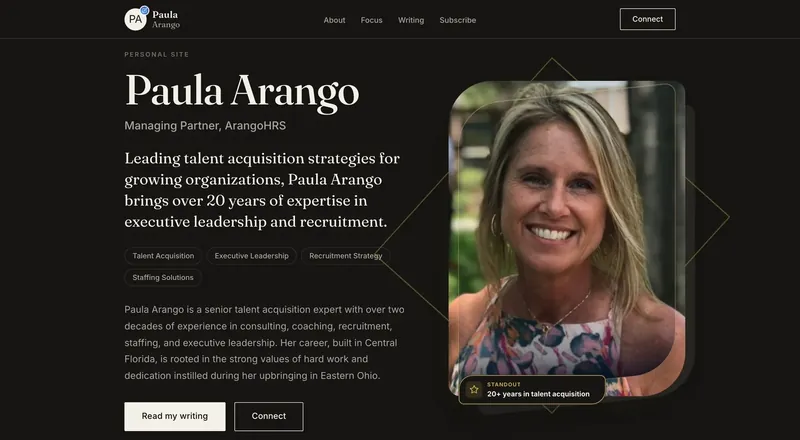
- Built from your Google or LinkedIn
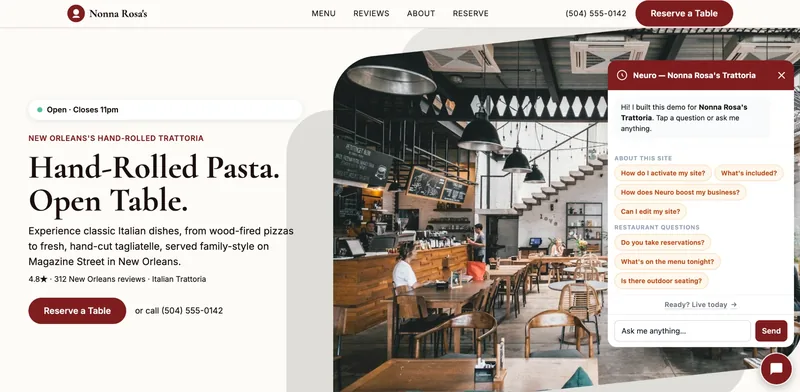
- Answers visitors, captures leads
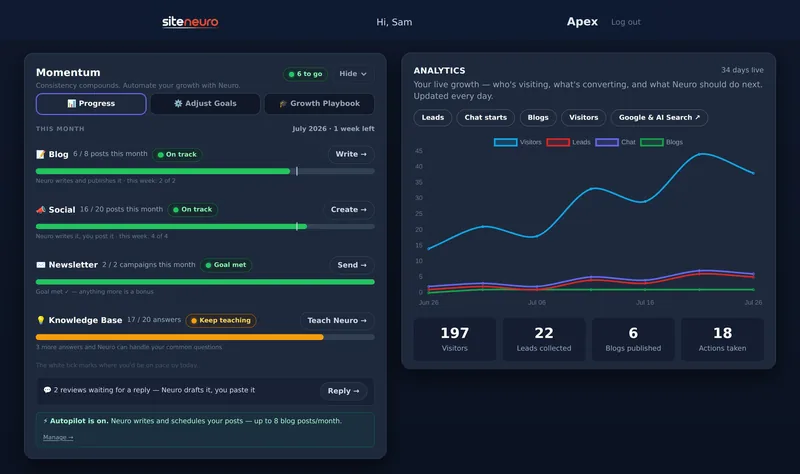
- Drafts blog, social and newsletter
- Nothing goes out until you approve it
Rated Excellent on TrustpilotGlobal review platform · 300M+ reviews
ChatGPT is a strong pick for planning a month of posts and creating the images to go with them. Claude is an equally good alternative for planning and design, and especially good at writing posts that sound like a person.
Then publish with a scheduler:
- Buffer: a free plan with its AI Assistant included. Paid plans start at $5 per channel a month (Essentials).
- Hootsuite: built for teams; plans start from $99.
My advice: one hour a month with an assistant and a free scheduler covers most local businesses. What to post is covered in Instagram for local businesses.
6. Bookkeeping: the AI is already in your software
You probably don't need a new tool here. You need to switch on what you're paying for.
- QuickBooks Online now includes AI features across its plans: expense categorization and an AI chat (beta) from Simple Start ($38/month list price), with automatic reconciliation and anomaly detection on Plus ($140/month list price).
- Xero includes smart document capture on every US plan, and auto-reconciliation on Growing ($59/month) and above, or as a $5 add-on on Early ($27/month).
Watch out: AI categorization is good, not perfect. Review it monthly, or ask your accountant to.
7. Answering website visitors: a 24/7 assistant
If people visit your site at 10pm with a question, an AI chat assistant can answer from your own information instead of a contact form that waits until morning.
| Tool | Starting price (Oct 2026) | Learns from | Best for |
|---|---|---|---|
| Neuro (SiteNeuro) | Included from Foundations, $19/month | Your Google listing, site content and knowledge base (your answers, plus documents like PDFs) | SiteNeuro websites: nothing to install |
| Tidio | Free plan (50 lifetime AI chats); Lyro AI from $32.50/month | Your FAQs and website | Shops wanting live chat + AI |
| Crisp | AI chatbot from Essentials, $95/month | Your help content | Teams answering across channels |
| Chatbase | From $32/month billed yearly | Documents and web pages you upload | A simple AI answer box |
Full disclosure: I'm the founder of SiteNeuro, so weigh my view accordingly. We built Neuro into SiteNeuro sites (from the Foundations plan) with a built-in knowledge base: it starts from what your site already says, suggests the questions customers in your field ask, and gets smarter the moment you add an answer or upload a document. If your website lives elsewhere, the other three are good options.
Skip it if: you get fewer than a handful of website questions a week. A clear FAQ section does the job.
8. Getting found: be readable by Google and AI
This is the job most owners don't know they have.
More customers now ask ChatGPT, Gemini or Google's AI "who's the best _ near me?" Those assistants recommend businesses they can read clearly: a complete Google profile, real reviews and a website that states plainly what you do and where.
What you need:
- A complete Google Business Profile (here's a checklist)
- A website with your services, area, hours and real reviews
- Fresh content now and then, so you look active
SiteNeuro was built for exactly this job: it builds a site from your Google listing and reviews, set up for AI search, and its growth plans add Neuro answering visitors, blog and social posts, and review replies. Wix, Squarespace and others work too if you'd rather build it yourself.
What I'd skip
- AI "SEO packages" that promise rankings. Nobody can promise that.
- Tools that do one tiny thing your assistant already does. Paying $15 a month for an "AI email writer" when you already pay for ChatGPT is a duplicate.
- Anything that posts or emails customers without you approving it first. Keep a human in the loop, at least at the start.
A starter stack by budget
| Budget | Tools |
|---|---|
| $0/month | Free ChatGPT, Claude or Gemini · Canva Free · Buffer Free · the AI already in your accounting software |
| About $20/month | One paid assistant + the free tools above |
| About $50–100/month | Paid assistant + an AI chat assistant or a growth tool for your website, depending on which job hurts most |
How to start this week
- List your five most repetitive tasks. The ones you dread.
- Try each one in a free assistant. Paste the email, the price list, the review. Ask for a draft.
- Keep what saves you an hour or more a week. Drop the rest.
- Pay only when you hit a limit on something you use daily.
That's it. Three or four tools, chosen by job, will do more for you than thirty you never open.
Straight answers
What is the best AI tool for a small business?
Are there free AI tools for small business?
How much do AI tools cost for a small business?
Can AI replace employees in a small business?
Is it safe to put business data into AI tools?
Ready to put this to work?
Pick how much help you want. Both start with a free look at your site.
Apex Concierge $119/mo
Your website, plus a growth team every week.
- Your site in your inbox within 2 hours
- 30-minute setup call with a specialist
- Answers visitors, captures leads
- Drafts blog, social and newsletter
Essential $39/year
Just the website, done properly.
- Built from your Google or LinkedIn
- Set up for Google and AI search
- Hosting and security included
- Unlimited edits, no extra cost
Rated Excellent on TrustpilotGlobal review platform · 300M+ reviews