Get More Customers
The Design Principles Behind a Small Business Website That Turns Visitors Into Customers
A beautiful website that nobody calls from is a brochure. Here is what makes a visitor pick up the phone, section by section.
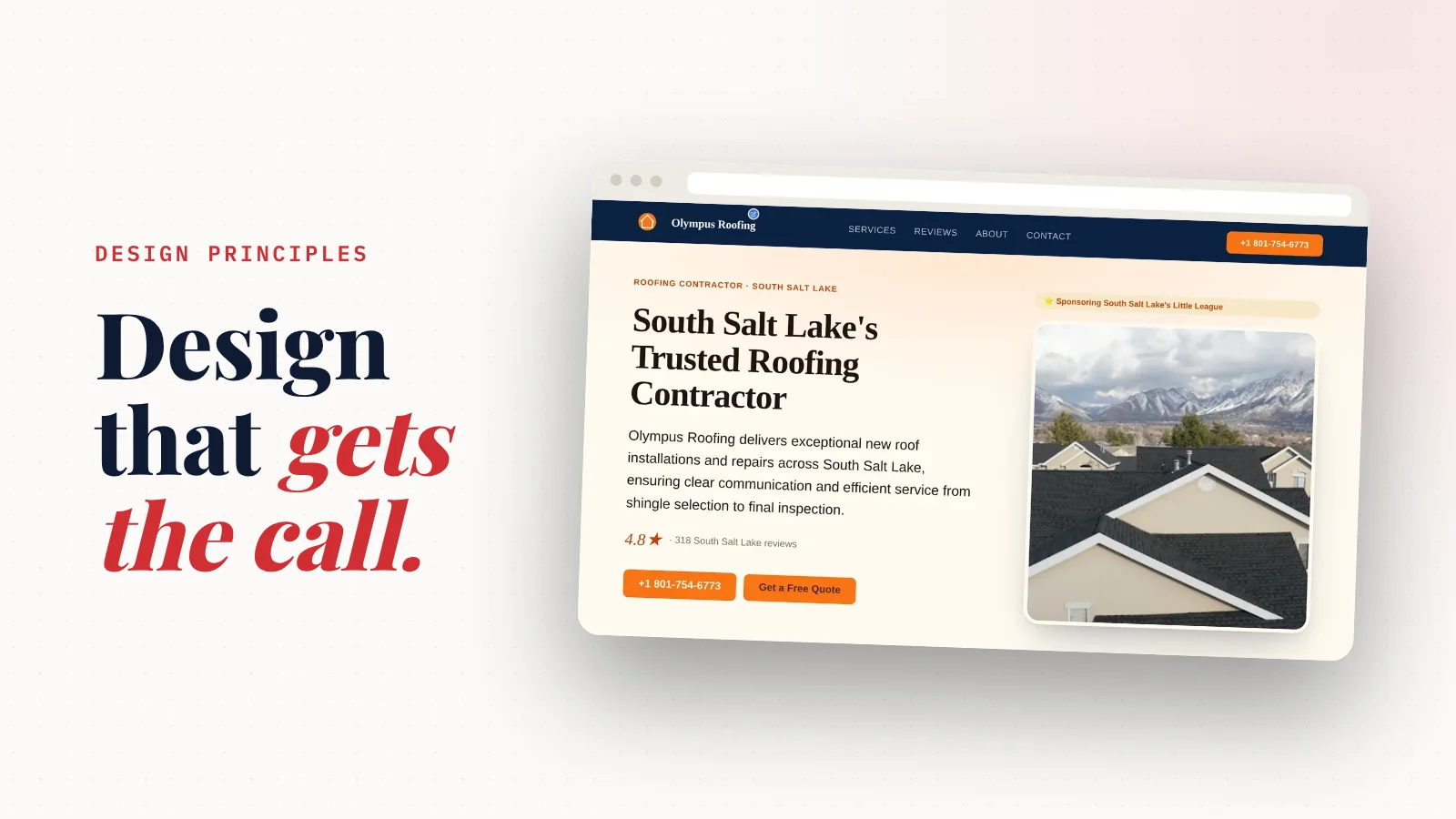
What makes a small business website design work? It turns a visitor into a call, a booking or a message.
Everything on the page should serve that one job.
Most small business sites don't. They're built around a template, not around the business.
This guide walks through the six design principles that make the difference.
Each one comes with a real example from a website SiteNeuro built.
Your website has one job
Here's the thing.
Nobody visits a plumber's website to admire it.
They want three answers, fast:
- Can you do what I need?
- Can I trust you?
- How do I reach you?
A good design answers all three before the visitor scrolls twice.
A weak one makes them hunt. And a visitor who has to hunt goes back to Google and picks the next result.
So every principle below comes back to the same test: does this help the visitor decide, and act?
Principle 1: start from what's true about the business
Most websites start from a template and fill the gaps with stock photos and generic lines.
"Quality service you can trust."
Every business says that. So nobody believes it.
The strongest material a business has is already public:
- Its photos on Google
- Its reviews, in its customers' own words
- Its rating and review count
- What it actually does, and where
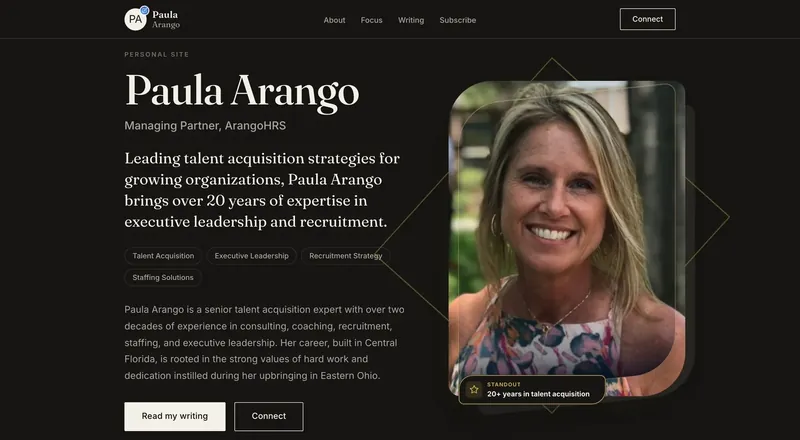
- For a professional: skills, experience and results
The design job is to put each of those where it does the most work.
| What | Where it goes | Why |
|---|---|---|
| The strongest photo | The top of the page (the "hero") | It's the first thing a visitor sees. A real photo says "real place" before a word is read. |
| The rating and review count | Under the headline, once | Proof, right where the visitor is deciding whether to stay |
| The best review | Its own section, as a large quote | One great sentence from a customer beats a paragraph of claims |
| A second photo | Next to the services or menu | It shows the work, not just the list |
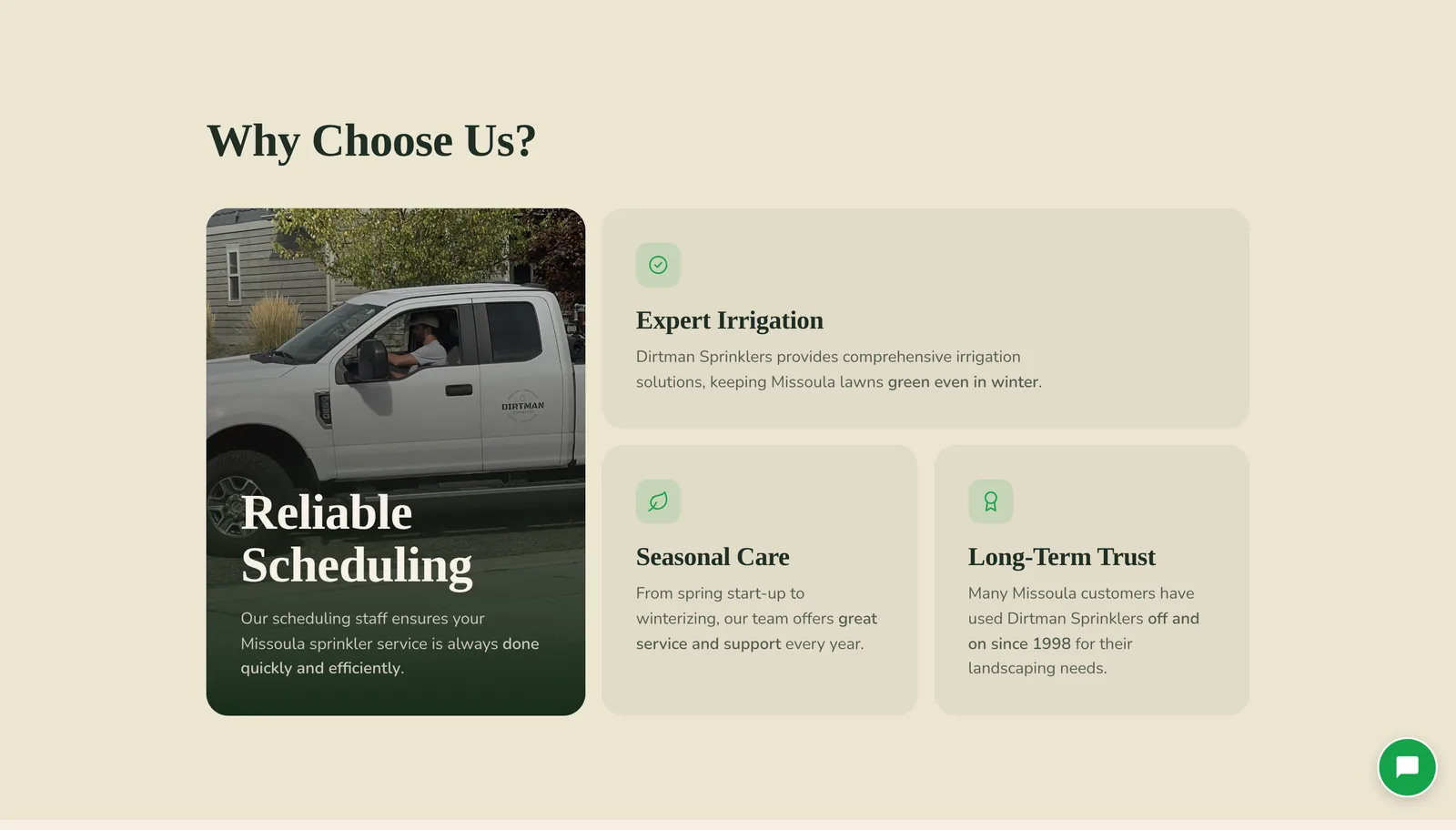
| A third photo | In "Why choose us" | It turns reasons into something you can see |
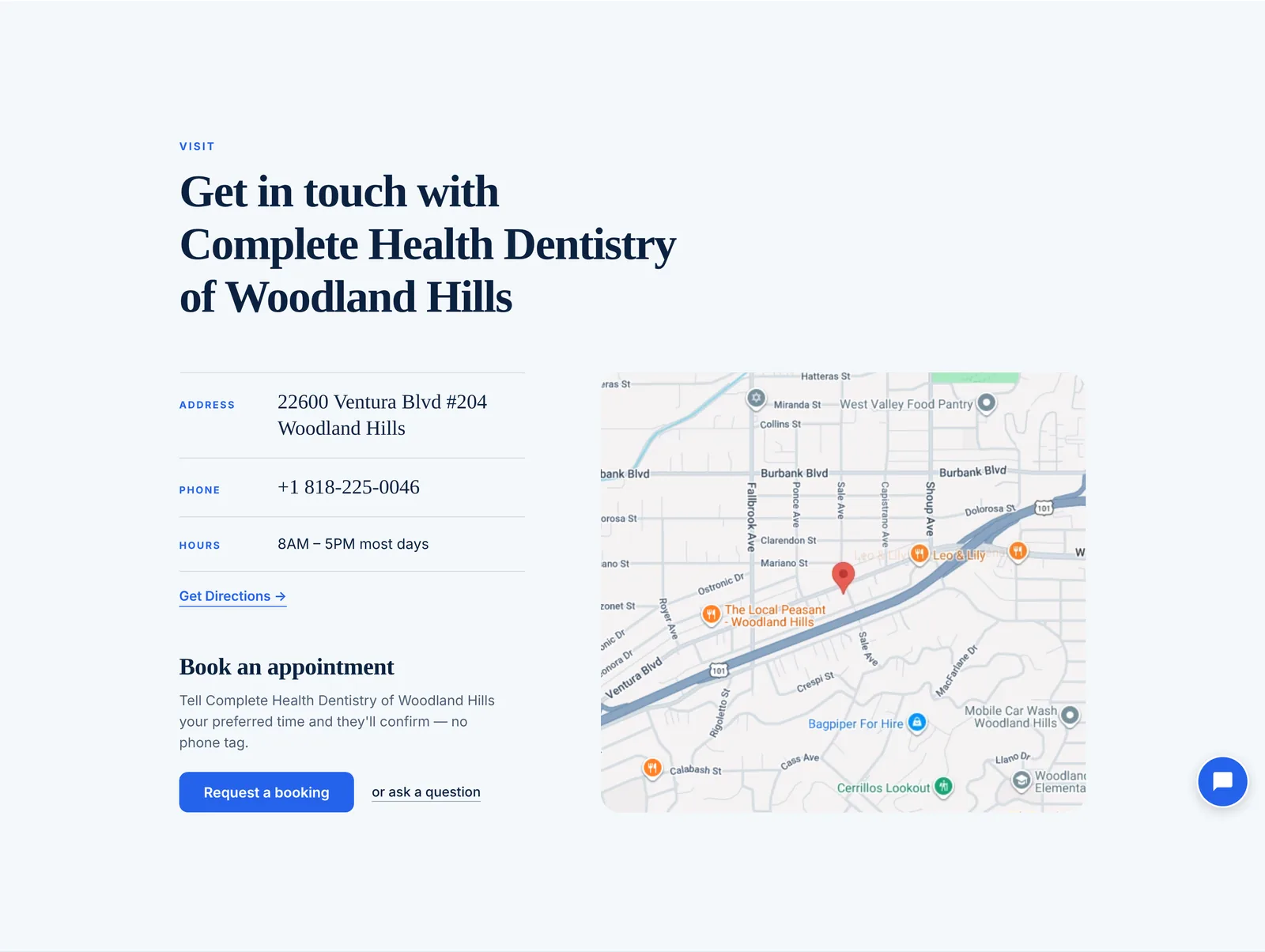
| Address, phone, hours, map | One calm contact section | Everything needed to act, in one place |
SiteNeuro builds every website this way, from the business's Google listing (or LinkedIn, for professionals).
Nothing is invented. No fake badges like "Top Rated" or "Verified." Just the real rating, the real reviews and the real photos.
Principle 2: copy written for the niche, and for Google and AI search
Design gets the attention. Words do the convincing.
Good small business copy is specific.
Compare:
- "We offer great roofing services." ❌
- "New roof installations in South Salt Lake, from shingle selection to final inspection." ✅
The second line names the service, the place and the process. It reads like someone who knows the job.
That same specificity is what search engines look for.
On every SiteNeuro site, the copy is written for the niche and the business, and the technical setup is done for you:
- Structured data (schema) that tells Google the business name, address, hours, rating and services
- A real FAQ section, written as direct answers, which is the format AI assistants like ChatGPT and Google's AI answers quote
- One clear heading structure per page, so search engines can read it like an outline
- Fast, light pages, because speed is part of how Google ranks
If you want the difference between ranking on Google and being cited by AI, there's a full guide: AEO vs SEO.
Principle 3: design that fits the niche, with restraint
Here's where most small business websites go wrong.
They do too much.
Six colours. Four fonts. A box around everything. A slider. A badge in every corner.
Premium design is mostly about what you leave out.
You know the feeling from the best product pages: lots of space, one strong image, a few words, one obvious next step.
That restraint is the core of every SiteNeuro design. Here's what it means in practice.
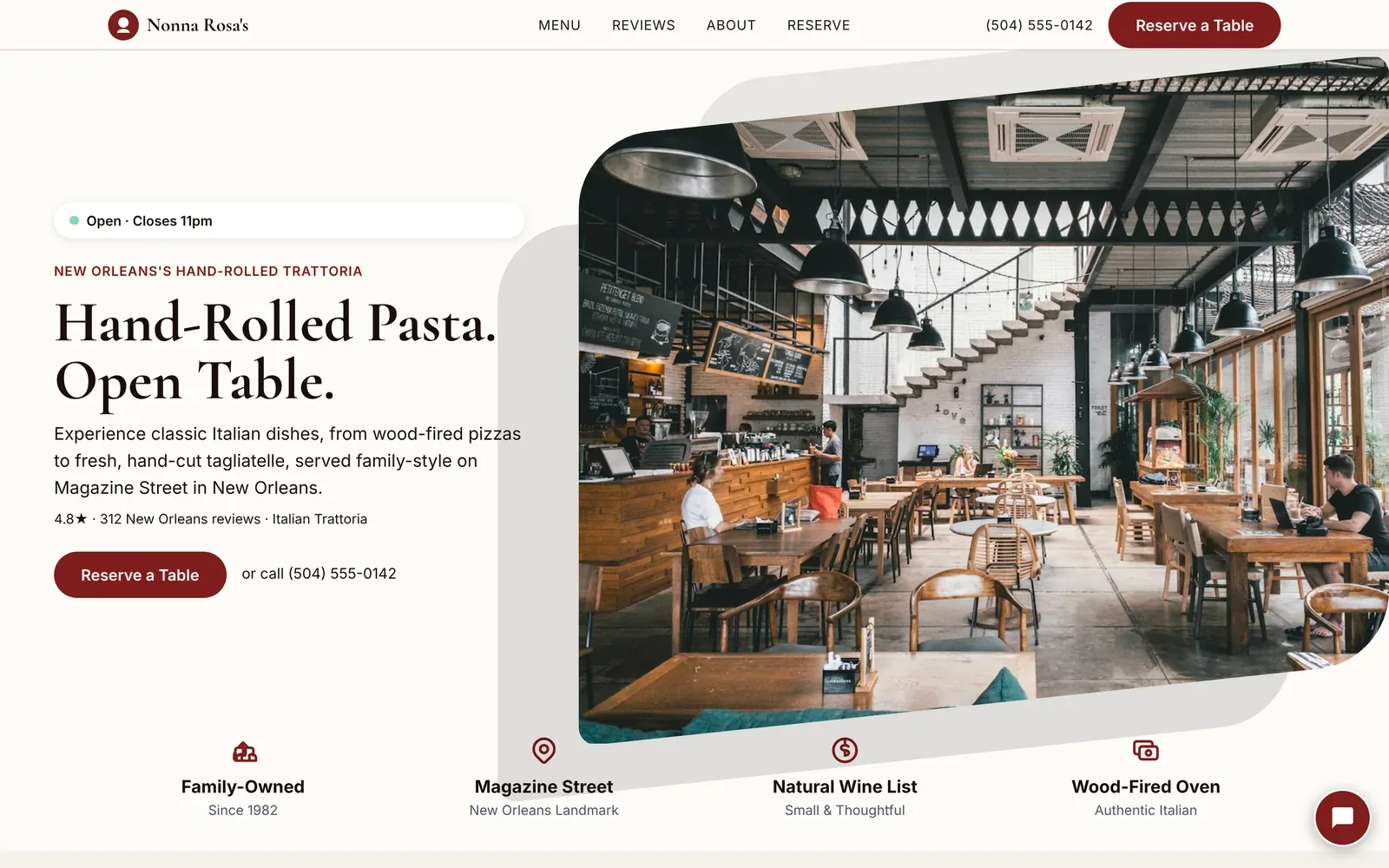
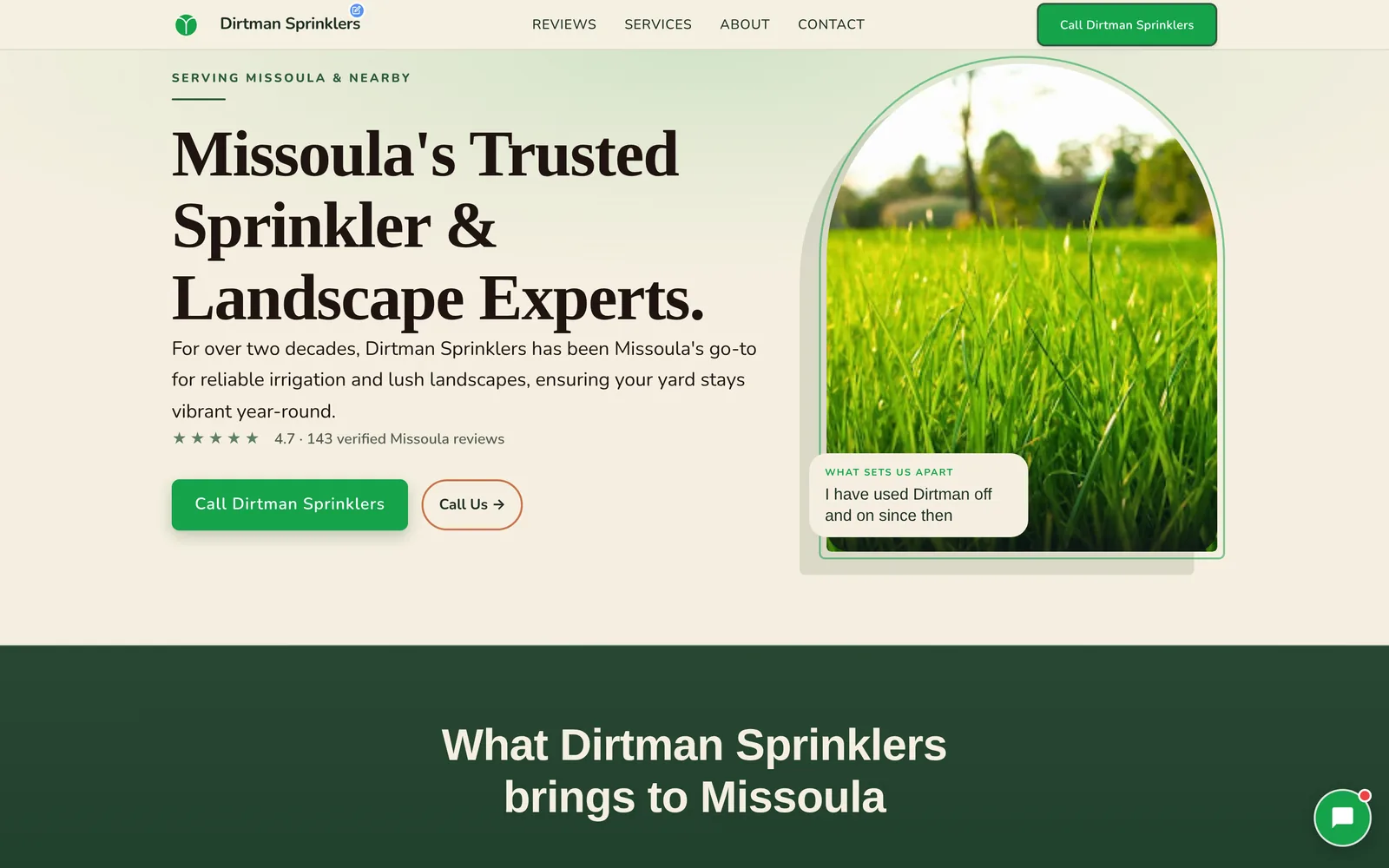
One accent colour per site
Each design uses one accent colour, saved for the things you should click.
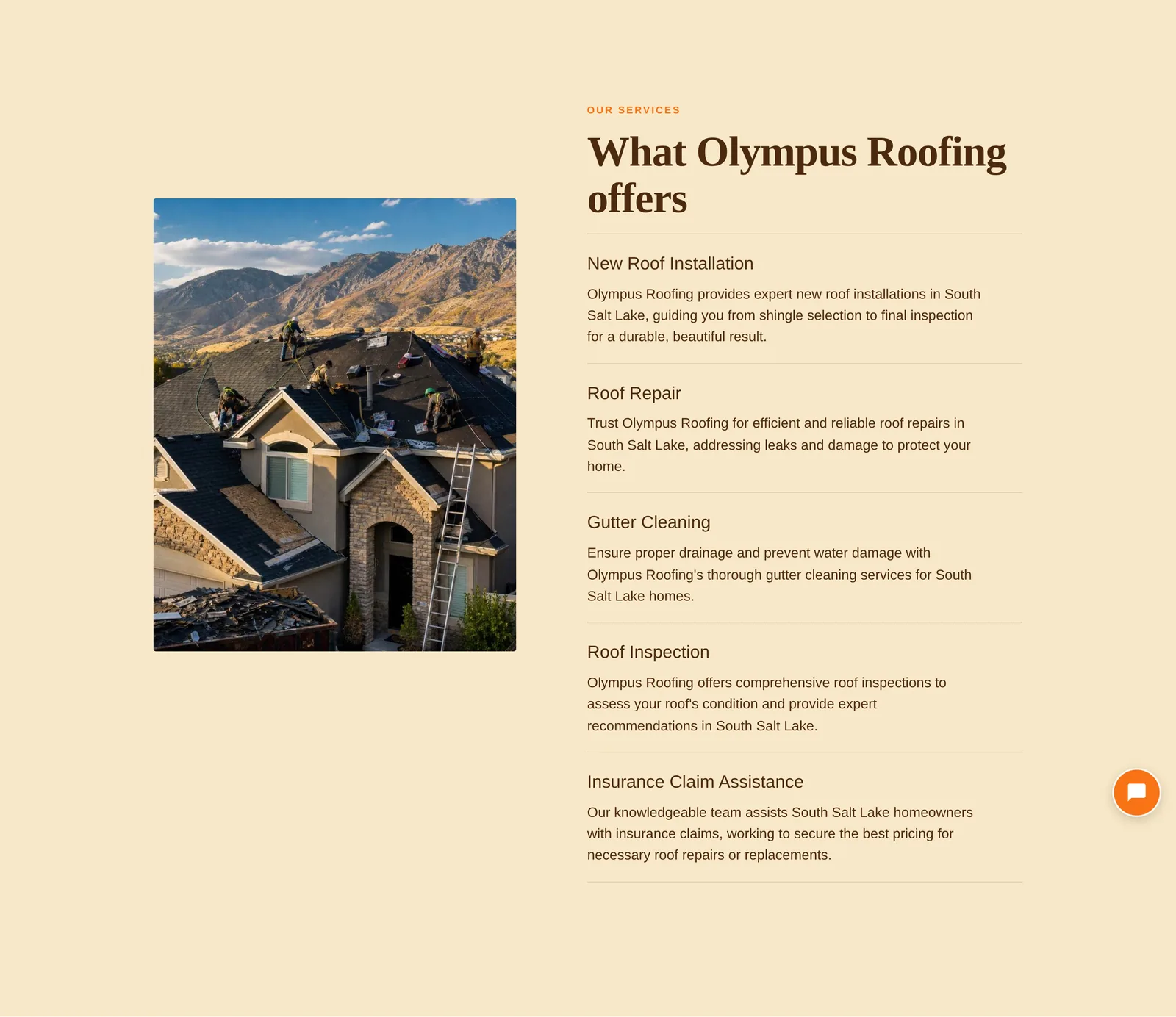
- Trades get orange: urgent, energetic, easy to spot
- Clinics and law firms get blue: calm, trusted
- Salons and spas get gold: refined
- Landscaping and pet care get green: friendly, outdoors
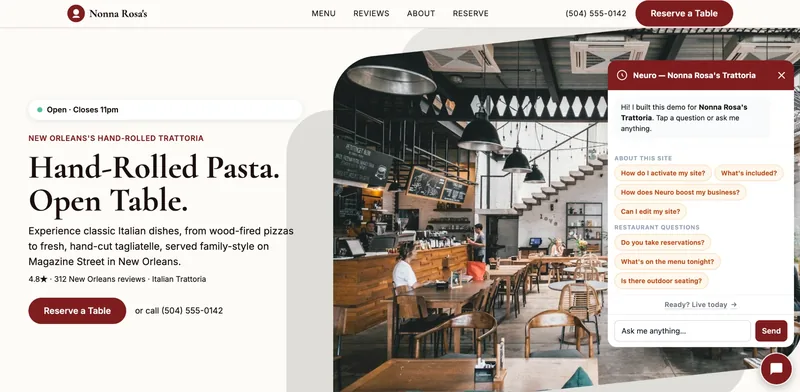
- Restaurants and bars get burgundy: warm, evening
Everything else stays neutral. So the accent always means "this is the action."
Fonts chosen for the niche
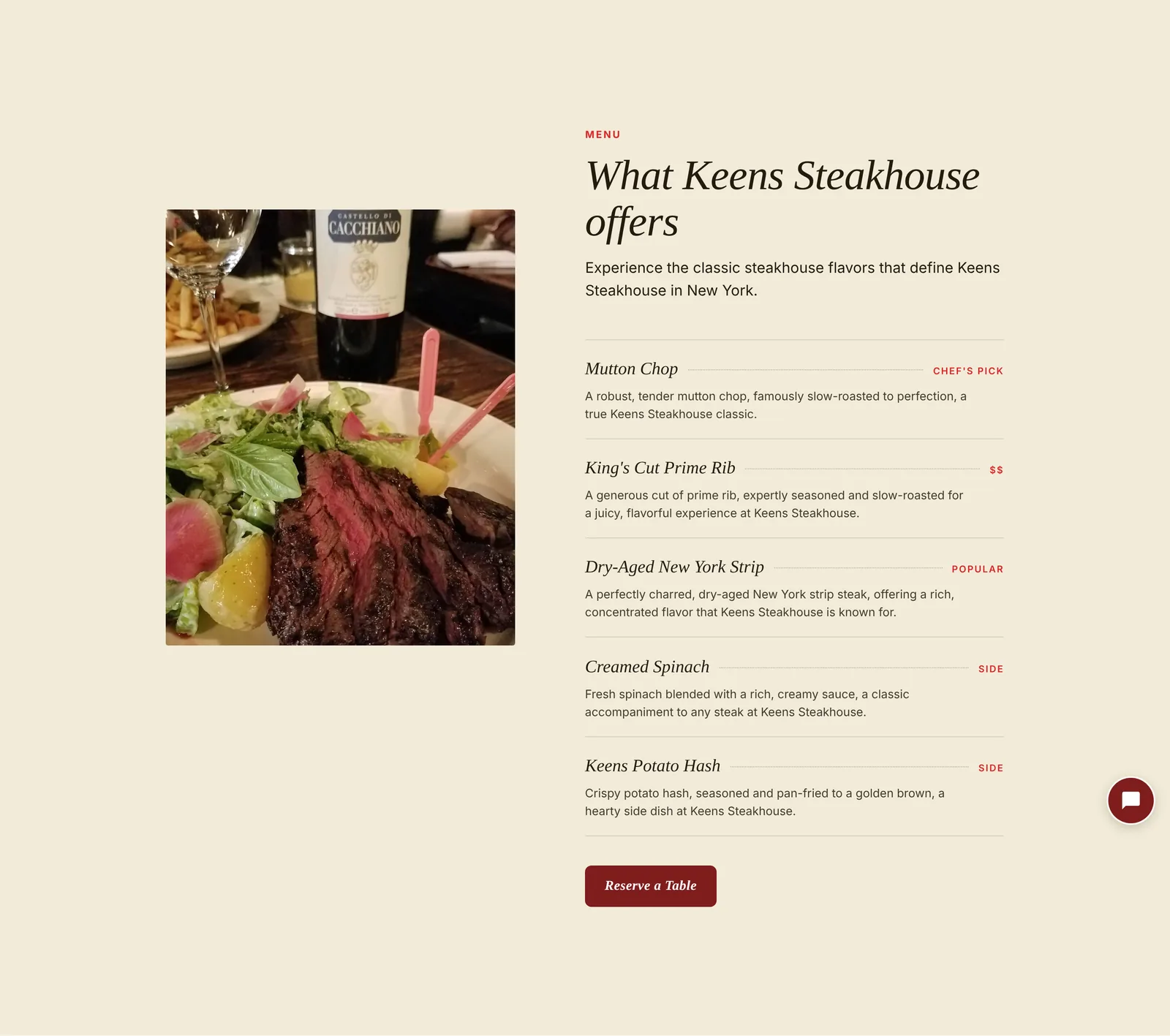
A steakhouse gets an elegant serif. A roofer gets a sturdy, no-nonsense face.
The font sets the mood before a word is read.
Hairlines, not boxes
Sections are separated by thin lines and white space instead of boxes, cards and shadows.
The page feels calm. The content stands out because nothing competes with it.
Reviews treated like quotes, not widgets
Most sites show reviews as a carousel of little cards with stars.
SiteNeuro sets one review large, like a magazine pull quote, with two more beside it.
Each quote is cut on a whole sentence, never mid-word.
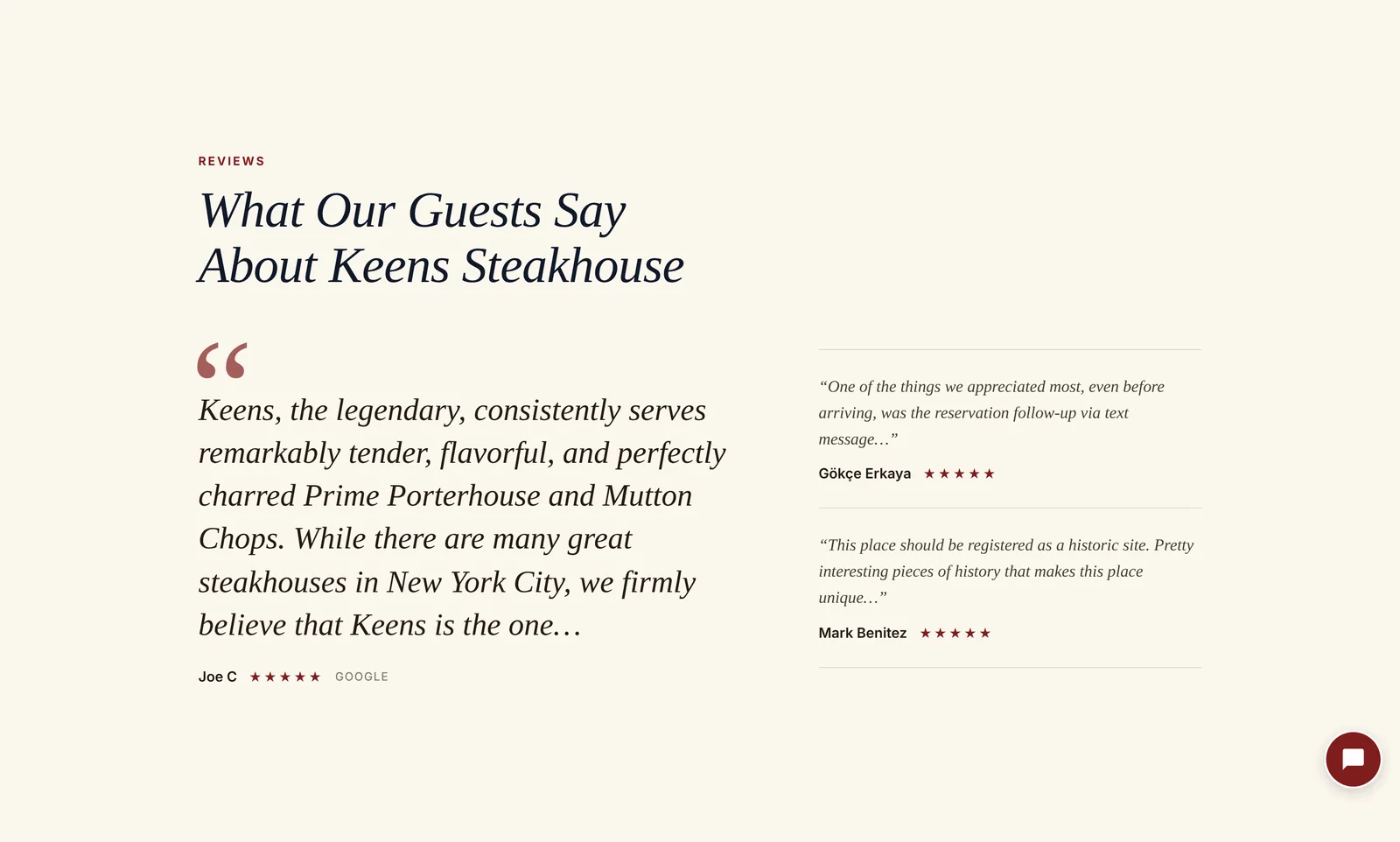
Five designs, built for different kinds of business
Every niche gets one of five design families, each with its own palettes:
| Design family | For | Feel |
|---|---|---|
| Urgent | Roofing, HVAC, plumbing, electricians, auto repair | Bold, fast, phone first |
| Professional | Dental, legal, accounting, clinics | Calm, clear, trustworthy |
| Aesthetic | Salons, med spas, hotels | Refined, image led |
| Friendly | Landscaping, pet care, cleaning | Warm, approachable |
| Hospitality | Restaurants, cafes, bars, breweries | Atmospheric, appetite led |
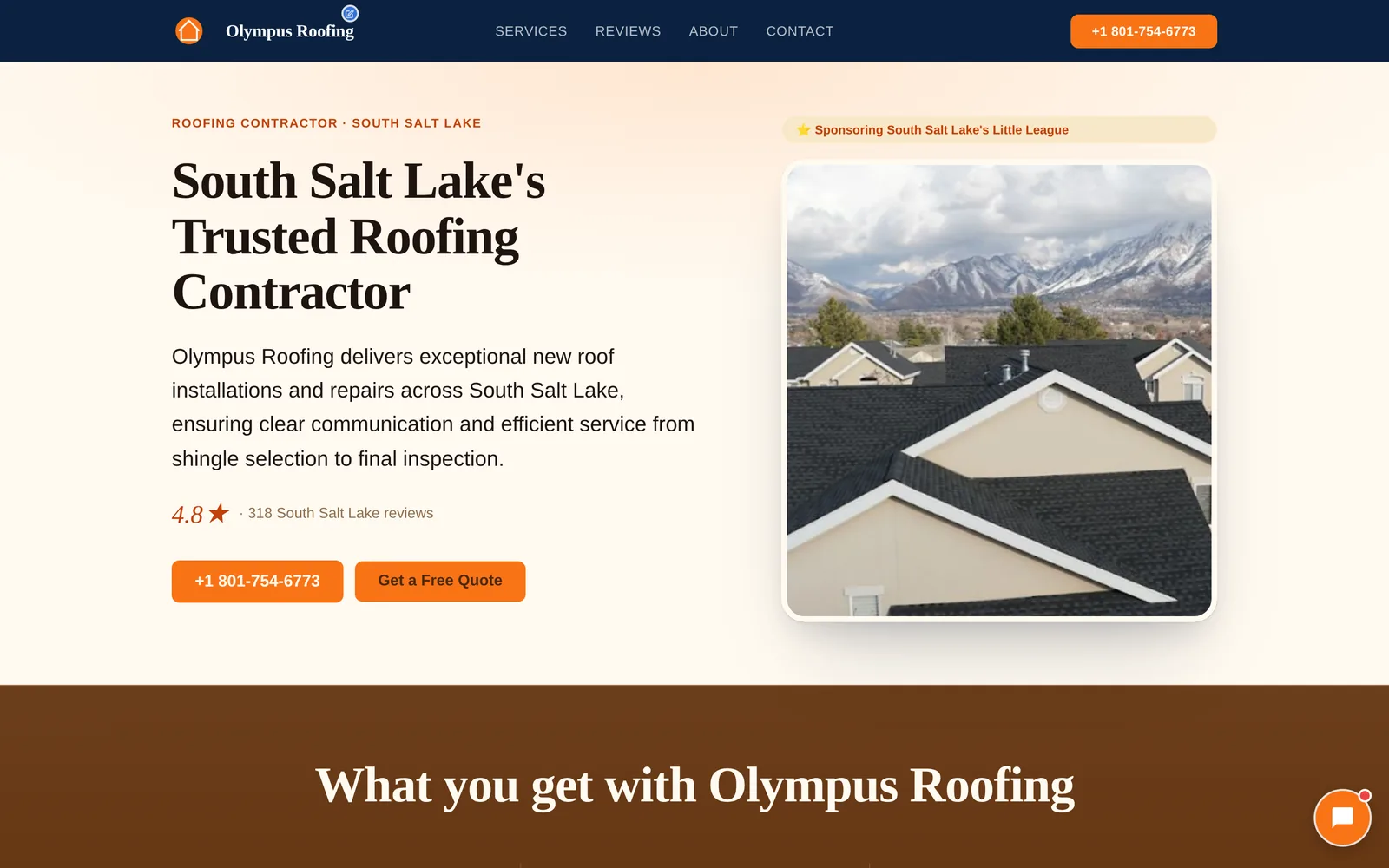
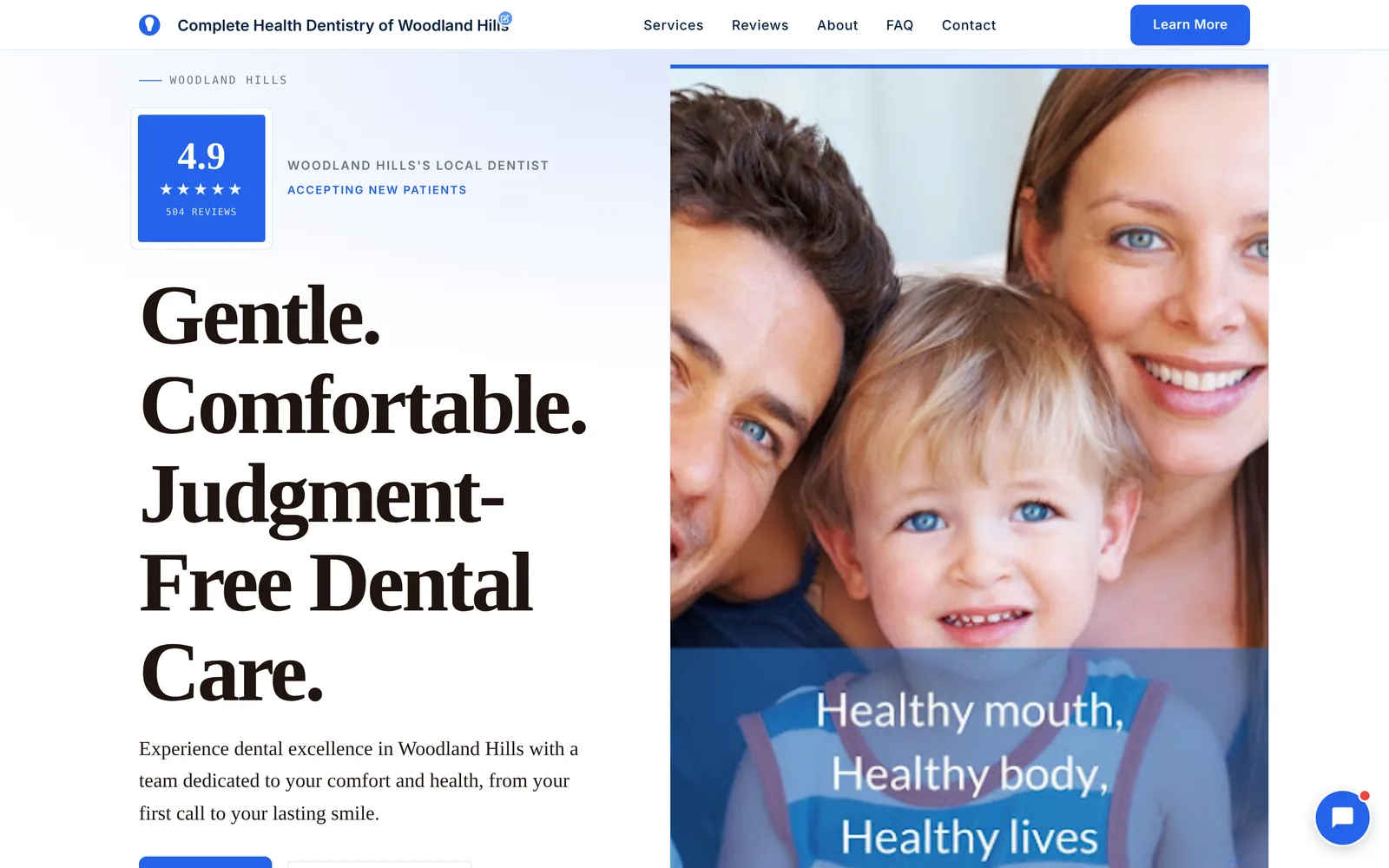
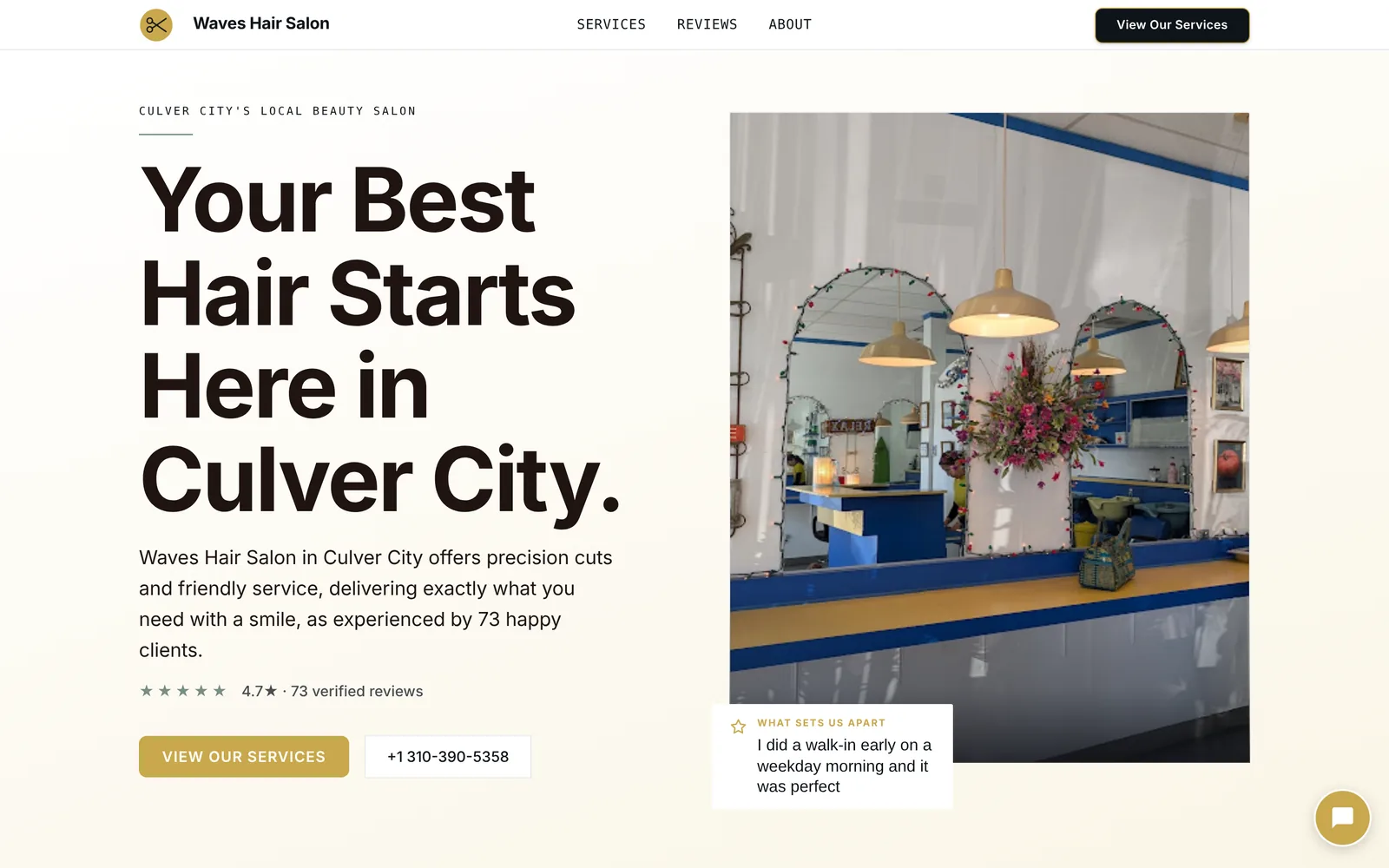
Principle 4: built to convert
Calm design isn't the goal on its own.
Your growth partner
See these principles on your own business.
Type your business name and city. Neuro builds your website from your Google listing in about a minute, free.
- Built from your Google or LinkedIn
- Answers visitors, captures leads
- Drafts blog, social and newsletter
- Nothing goes out until you approve it
Rated Excellent on TrustpilotGlobal review platform · 300M+ reviews
The calm is what makes the action obvious.
One main action per screen
Every screen has one main thing to do: call, book, reserve, get a quote.
It's the only element in the accent colour. Everything around it is quieter.
So the eye lands on it without searching.
Contrast that points
Contrast is how a page says "look here."
- Dark on light, or light on dark, never grey on grey. Text that's hard to read gets skipped.
- The action is the brightest thing in its section. A burgundy "Reserve a Table" on a cream page. An orange "Call" on white.
- Dark sections switch automatically. On a dark bar or nightclub page, every line of text is checked against its real background when the page loads, so nothing goes unreadable.
Proof next to the action
The rating sits near the first button. The best review sits near the booking section.
Proof works best right where the visitor is deciding.
A contact section that actually reaches someone
A surprising number of small business contact forms go nowhere.
On a SiteNeuro site, the form delivers: the message reaches the owner.
And businesses that take appointments get a "Request a booking" button right next to the map and directions.
An FAQ that answers, honestly
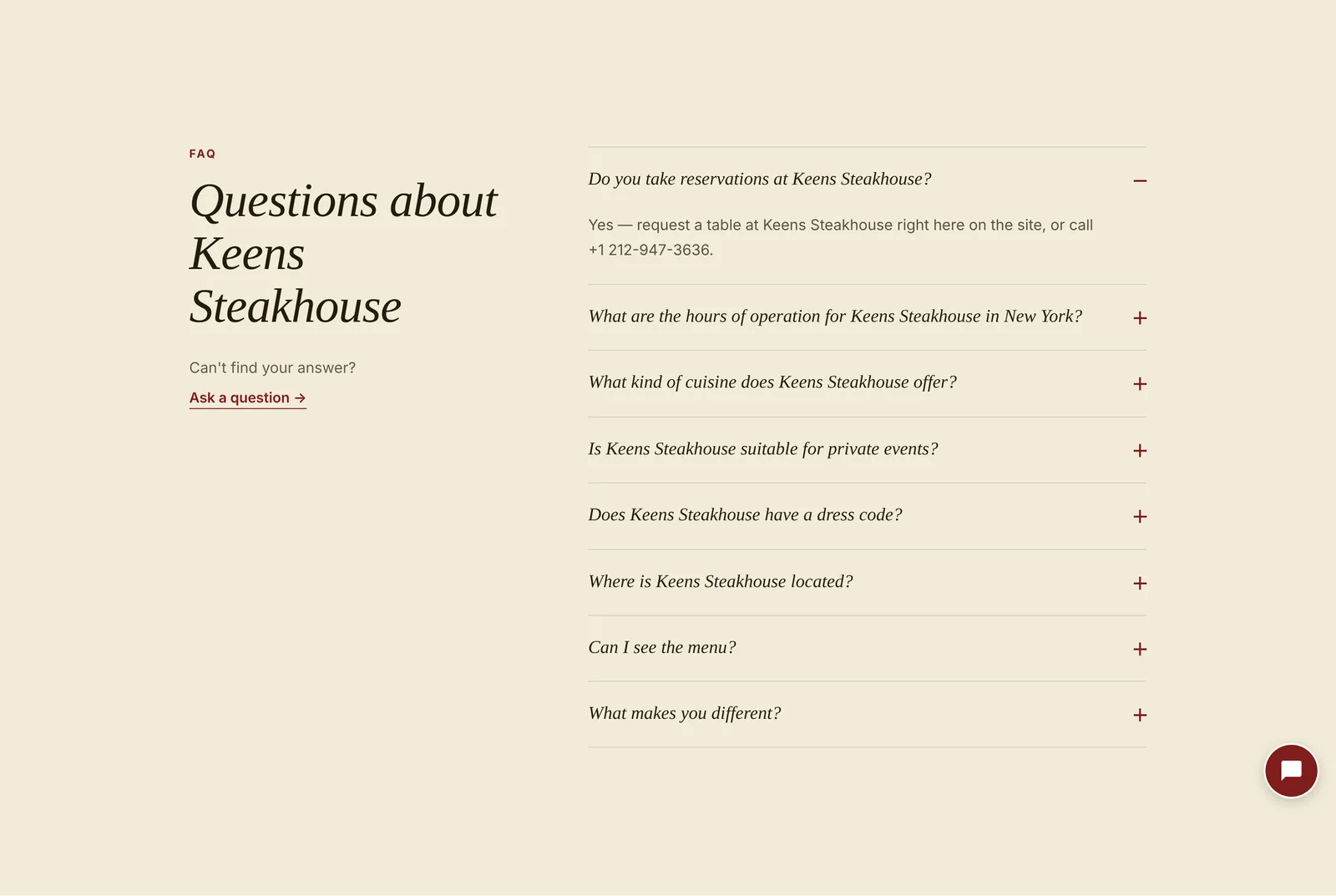
The FAQ answers the questions people actually ask: hours, reservations, parking, price, dress code.
When the business hasn't confirmed an answer, the site says so and points to the business, instead of guessing.
Principle 5: mobile first
Most local searches happen on a phone.
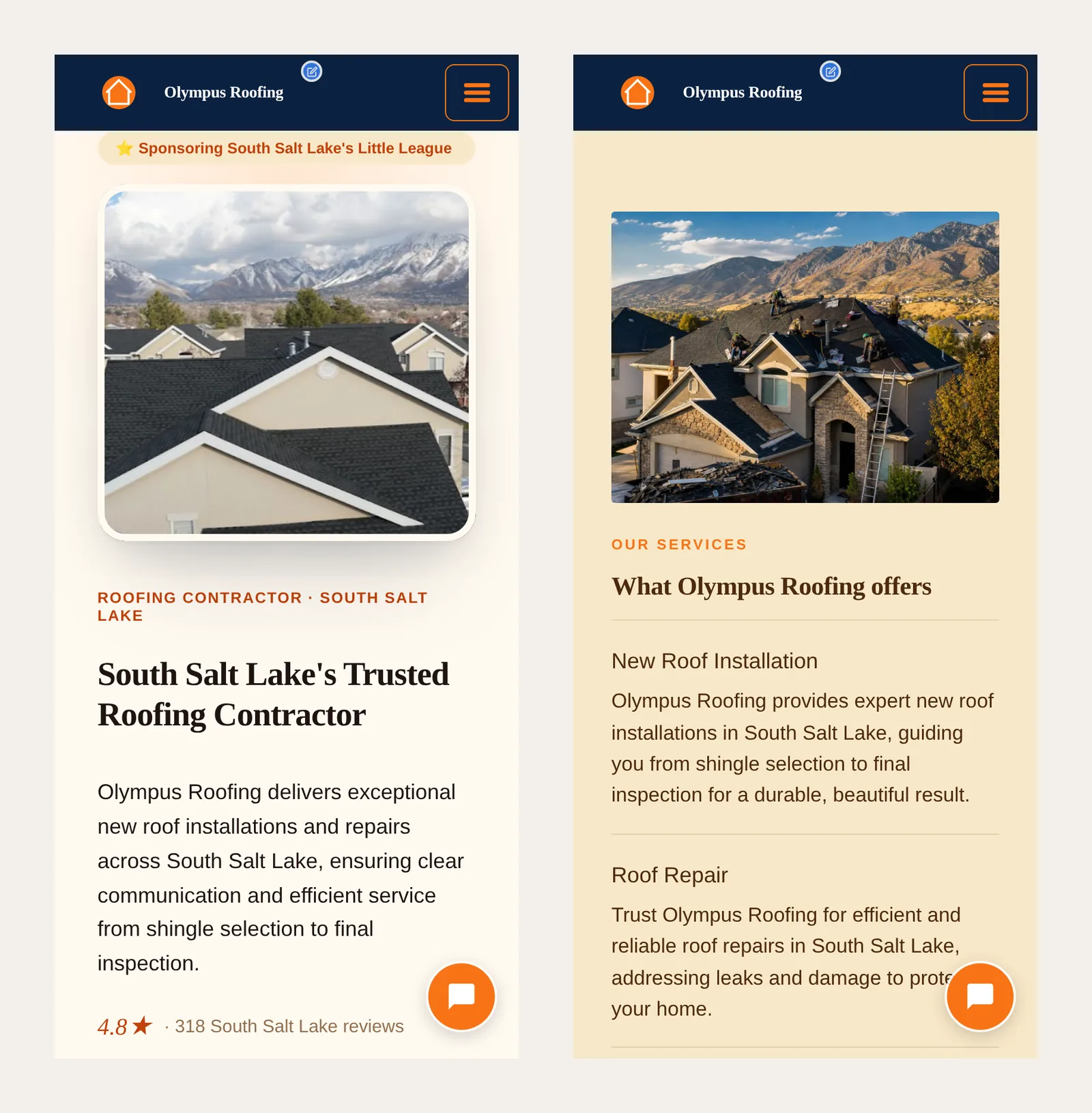
So the phone layout isn't a shrunken desktop. It's designed first.
- Text sized for reading at arm's length.
- Sections stack in the order a visitor decides: photo, headline, rating, action.
- Buttons large enough for a thumb.
- The chat button stays in the bottom corner on every screen, within thumb reach.
- Light pages. In SiteNeuro's own test of five demo sites (October 2026), a phone downloaded about 300–380 KB per page. That's lighter than a single photo on many websites.
Principle 6: fast, in three ways
"Fast" means three different things for a small business website.
1. Fast for you to start. Two entries: your business name and city (or your LinkedIn profile, for professionals). About 10 seconds of typing.
2. Fast to build. SiteNeuro builds the full website in about 60 seconds.
3. Fast to open. On a desktop connection, SiteNeuro demo pages opened in about 2 seconds in SiteNeuro's own test of five demos (October 2026).
On phones, the same pages weighed about 300–380 KB each, so they stay quick on a mobile connection too.
How this compares
There are good ways to get a website. Here's how the main options compare on the design criteria above.
Prices and features checked on each product's own pages in October 2026.
| Wix | Squarespace | Durable | SiteNeuro | |
|---|---|---|---|---|
| How you start | Chat with its AI builder, or pick a template | Answer Blueprint AI's questions, or pick a template | Enter a few details | Your business name and city (or LinkedIn) |
| Writes the copy for you | Yes, with AI | Yes, with AI | Yes, with AI | Yes, from your listing and reviews |
| Starts from your real Google photos and reviews | No | No | No, from answers you type | Yes |
| Design for your type of business | Yes, "industry-specific" | Industry is one of the setup questions | Examples by industry | One of five design families, chosen by niche |
| Google + AI search setup | SEO tools built in | SEO tools built in | SEO and AI search features | Done for you (schema, FAQ, headings) |
| Time to a first site (their claim) | "A few minutes" | Not stated | "30 seconds" | About 60 seconds |
| Cheapest plan on your own domain | $17.77/mo, billed yearly | $19/mo, billed yearly | $22/mo, billed yearly | $39 a year |
The real difference isn't AI. All four use it now. It's what the AI starts from: prompts and answers you type, or the photos, reviews and rating your customers have already given you.
When another option is the better call: if you enjoy designing and want full creative control, Wix or Squarespace give you more freedom. SiteNeuro is for the owner who wants a professional, high-converting site without building it.
For the full head-to-heads: Wix vs Squarespace vs Durable vs SiteNeuro, SiteNeuro vs Durable, SiteNeuro vs Squarespace.
The website is just the beginning
A website that converts is the start, not the finish.
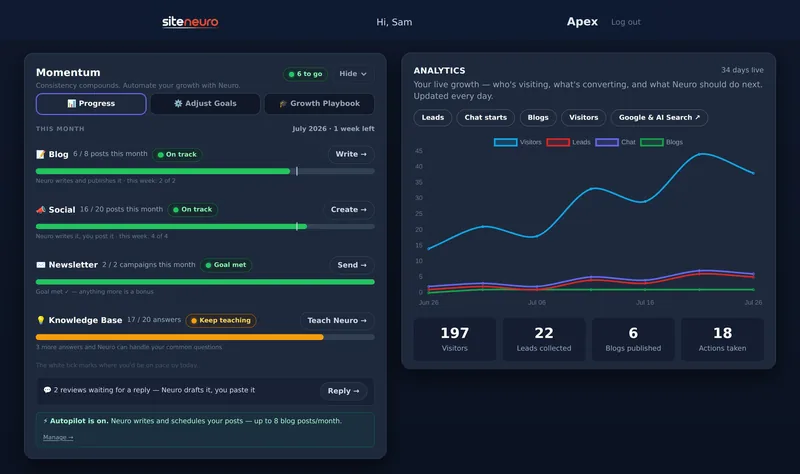
On SiteNeuro's growth plans, Neuro, the AI assistant on every site, keeps working after launch:
- It answers your visitors in the chat, day and night, from what it knows about your business
- It takes booking requests and passes them to you
- It writes your social posts, blog posts and review replies
- It keeps the website up to date, from the owner dashboard
So the design gets visitors to act. And Neuro makes sure someone answers when they do.
More on how that works: What is Neuro?
What are the most important small business website design principles?
Start from real photos and reviews, use one accent colour for actions, keep one main action per screen, design for phones first, and keep pages light so they load fast.
How many colours should a small business website use?
One accent colour for actions, plus neutrals for text and backgrounds. More colours compete for attention and make the action harder to find.
Where should reviews go on a small business website?
The rating belongs near the top, under the headline. The best full review belongs in its own section, shown large. Proof works best near the point where the visitor decides.
Should a small business website use stock photos?
Real photos of the business build more trust. A real dining room, a real job site or a real team says "this place exists" before a word is read. Use stock only when there's nothing real yet.
How fast should a small business website load?
As fast as possible. Google recommends the main content appear within 2.5 seconds. Keeping pages light (few scripts, compressed photos) matters most on phones.
Can AI design a good small business website?
Yes, when it starts from real information about the business. SiteNeuro builds the site from your Google listing in about a minute, with the design, copy and search setup done for you.
Ready to put this to work?
Pick how much help you want. Both start with a free look at your site.
Essential $39/year
Just the website, done properly.
- Built from your Google or LinkedIn
- Set up for Google and AI search
- Hosting and security included
- Unlimited edits, no extra cost
Apex Concierge $119/mo
Your website, plus a growth team every week.
- Your site in your inbox within 2 hours
- 30-minute setup call with a specialist
- Answers visitors, captures leads
- Drafts blog, social and newsletter
Rated Excellent on TrustpilotGlobal review platform · 300M+ reviews