Get More Customers
Website Redesign Checklist: 30 Steps for Small Businesses (Before, During and After Launch)
Most redesigns don't fail on design. They fail on the boring parts. Here's the checklist that covers them.
What should a website redesign checklist include? Four stages:
- What to do before you hire anyone
- What to check while the site is being built
- How to launch without losing your Google rankings
- What to do in the first 30 days after
Most redesigns that go wrong don't fail on design.
They fail on the boring parts.
The content that wasn't ready. The old pages nobody redirected. The contact form that was never tested.
This checklist covers those boring parts, so you don't have to learn them the expensive way.
Print it, copy it, or keep it open next to your quote.
Before you start: is a redesign the right call?
Quick check first.
If your site already works well on phones, loads fast and you can edit it yourself, you may only need a refresh, not a full redesign. Here's how to tell website redesign vs refresh apart, and the signs you need a website redesign.
Still need one? Let's go.
Stage 1: Before you hire anyone (steps 1–10)
This is where most of the money is saved.
Every hour you spend here saves a paid hour later.
Set the goal
- Write down the one job the site must do. Calls? Bookings? Quote requests? Pick one main goal, and at most two supporting ones.
- Write down what's wrong with the current site. Be specific: "the phone number isn't tappable" beats "it looks old."
- Look at three competitors' sites on your phone. Note what they do better and what you'd copy.
Take stock of what you have
- List every page on your current site. Include old blog posts and hidden pages. Your site's sitemap (usually at `yoursite.com/sitemap.xml`) is a quick way to find them.
- Find the pages that already bring traffic. In Google Search Console (free), open the Pages report under Performance. These pages are the ones you must not lose.
- Save a copy of the current site. Screenshots of every page at minimum. You'll want them later.
- Gather your logins. Domain registrar, hosting, Google Business Profile, Search Console, analytics. Missing logins are a classic launch-day delay.
Prepare the content
- Write or update your text first. Services, about, areas you serve, prices if you show them. Rough notes are fine. Content that isn't ready is one of the biggest causes of slow, expensive redesigns.
- Collect real photos. Your team, your work, your premises. Real photos beat stock photos for a local business.
- Pick your best reviews to feature, with the customer's first name and the service.
Stage 2: Hiring and budgeting (steps 11–15)
- Set a budget range before you ask for quotes. Here's what a website redesign costs in 2026, from DIY to agency.
- Get at least two fixed-price quotes with a written list of what's included.
- Ask who writes the content. If it's you, the price should reflect that. If it's them, ask how many pages.
- Ask what changes cost after launch. "What does it cost me to change a price or add a photo?" The answer shapes the next five years.
- Ask who owns the site and domain. The answer should be you. Make sure the domain is registered in your name.
Stage 3: During the build (steps 16–22)
Check these on a phone, not just a laptop. Most of your customers will.
Your growth partner
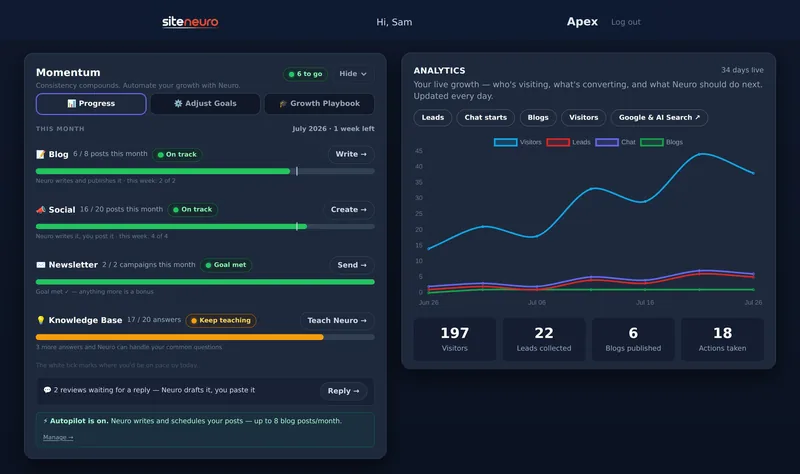
A website is the start. Neuro keeps it working.
- Built from your Google or LinkedIn
- Answers visitors, captures leads
- Drafts blog, social and newsletter
- Nothing goes out until you approve it
Rated Excellent on TrustpilotGlobal review platform · 300M+ reviews
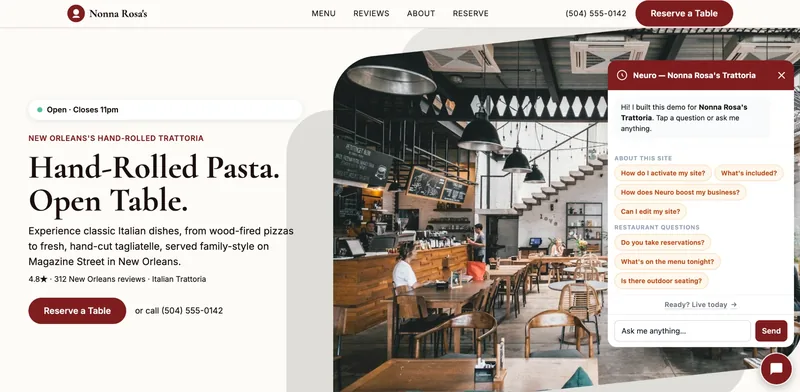
- Can a visitor see what you do, where, and how to contact you without scrolling?
- Is the phone number a tap-to-call link on every page?
- Is the main button ("Call now", "Book", "Get a quote") easy to find and easy to tap?
- Does it pass a speed test? Run the test version through Google's free PageSpeed Insights. Google's "good" targets are a Largest Contentful Paint of 2.5 seconds or less, Interaction to Next Paint of 200 milliseconds or less, and Cumulative Layout Shift of 0.1 or less (web.dev).
- Is every page title and description written for that page? Not "Home" or "Untitled". Each one should say what the page is about and where you are.
- Do your name, address and phone number match your Google Business Profile exactly? Mismatches confuse both customers and search engines.
- Can you edit it yourself? Ask for a short walkthrough before launch, not after.
Stage 4: Launch day (steps 23–27)
This is where rankings are kept or lost.
- Redirect every old page. Any page that changes address needs a 301 redirect to its new home. That's how Google carries your existing visibility across (Google Search Central). Use the page list from step 4.
- Test every form. Submit each contact and booking form yourself and confirm the message arrives.
- Check for "Not secure". The new site should load over HTTPS, with the padlock showing.
- Make sure the site isn't hidden from Google. Test versions are often set to "noindex". Ask your builder to confirm it's removed on the live site.
- Submit the new sitemap in Google Search Console, and update the website link on your Google Business Profile if it changed.
Stage 5: The first 30 days after launch (steps 28–30)
- Check Search Console weekly. Look at the Pages report for errors and "not found" pages. Each one is usually a missing redirect; fix it quickly.
- Compare traffic over 28 days, not day by day. Rankings often wobble for a few days after a launch. Judge the trend over weeks.
- Book a monthly 15-minute update. Hours, photos, a new review. A site that stays current needs redesigning far less often. Here's how to update your website yourself.
The checklist on one screen
| Stage | The steps you can't skip |
|---|---|
| Before | One clear goal · list every page · find the pages that get traffic · write content first |
| Hiring | Budget range · fixed-price quotes · ask about post-launch costs · you own the domain |
| Build | Tap-to-call · clear main button · speed test · details match your Google profile |
| Launch | 301 redirects · test every form · HTTPS · remove noindex · submit sitemap |
| After | Weekly Search Console check · judge over 28 days · monthly updates |
A shortcut for simple sites
If your business only needs a clear, professional one-page site, a full redesign project may be more than you need.
AI website builders such as SiteNeuro can generate a site from your existing Google listing, with your real reviews and details already on it, and you can see it before paying. It won't suit a complex, many-page site. But for a small local business with an outdated site, it skips a lot of this list.
Whichever route you take, steps 4, 5 and 23 still apply: know your pages, protect the ones that get traffic, and redirect everything.
Straight answers
What are the steps in a website redesign?
How do I redesign my website without losing SEO?
What should I prepare before a website redesign?
How long does a website redesign take?
What should I check after launching a redesigned website?
Ready to put this to work?
Pick how much help you want. Both start with a free look at your site.
Essential $39/year
Just the website, done properly.
- Built from your Google or LinkedIn
- Set up for Google and AI search
- Hosting and security included
- Unlimited edits, no extra cost
Apex Concierge $119/mo
Your website, plus a growth team every week.
- Your site in your inbox within 2 hours
- 30-minute setup call with a specialist
- Answers visitors, captures leads
- Drafts blog, social and newsletter
Rated Excellent on TrustpilotGlobal review platform · 300M+ reviews